


Artificial Intelligence
5 Key Factors to Consider When Integrating AI into Your Legal Department
Integrating advanced legal AI tools like LLMs catalyzes a significant shift for in-house legal teams. These models are evolving from…
Read

Our AI-enabled workflow hub connects your teams with how they want to work today and tomorrow.





















Welcome to Onit
General Counsels expect workloads to increase by 25% over the next three years — yet 75% of GCs do not anticipate budgets to keep pace. Onit helps corporate legal departments modernize their legal operations so Legal runs like a business.


Automate workflows, facilitate collaboration, and drive efficiency so you can spend time where it matters most.

Empower Legal teams with contextually relevant insights needed to make better, faster decisions and manage risks.

Leverage proven, innovative technologies to better support evolving legal operations teams today and in the future.
AI-powered
Introducing

Create premium workflow automation experiences for sophisticated, legal-related business processes – all from a single platform.
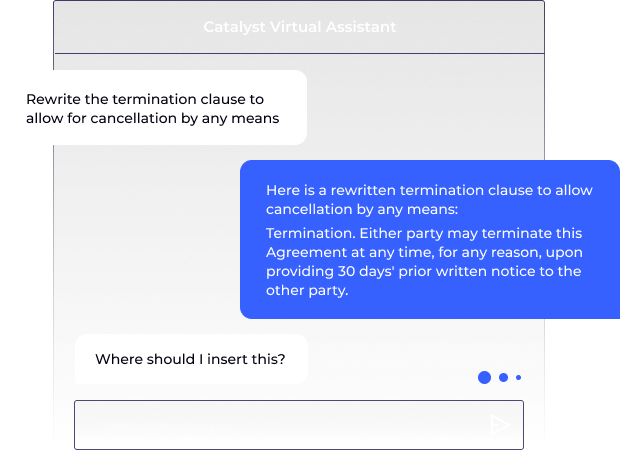
Explore our OnitX products
With our integrated legal tech stack, we have a centralized cockpit for legal operations that is simplifying processes for legal and delivering better service to the business and our customers.

From request all the way through the process — even past signature, to reporting and audit and renewing and everything — having all of those pieces automated, accessible, transparent, with collaboration really drives efficiency across the board.

[Onit] had a high level of engagement not seen with the other vendors and an ability to understand the problem and try to solve that problem – not just hand us a set of tools and say, ‘go try to solve it yourself.’

We started with the easy agreement of an NDA, and just by leveraging the technology, reduced our review time by 42% … I mean, that’s game-changing in and of itself.


Integrating advanced legal AI tools like LLMs catalyzes a significant shift for in-house legal teams. These models are evolving from…

The past two years have thrown unprecedented challenges at companies. Their corporate legal departments have risen to the occasion. From…

The advent of generative AI marks a pivotal moment for in-house legal teams. Like any emerging technology, it brings immense…
Awards and Recognition
Industry, local, and global honors that illustrate Onit’s continuing commitment to innovation, technology, and growth.
Our team of legal experts will recommend the right solution that delivers the best outcome.