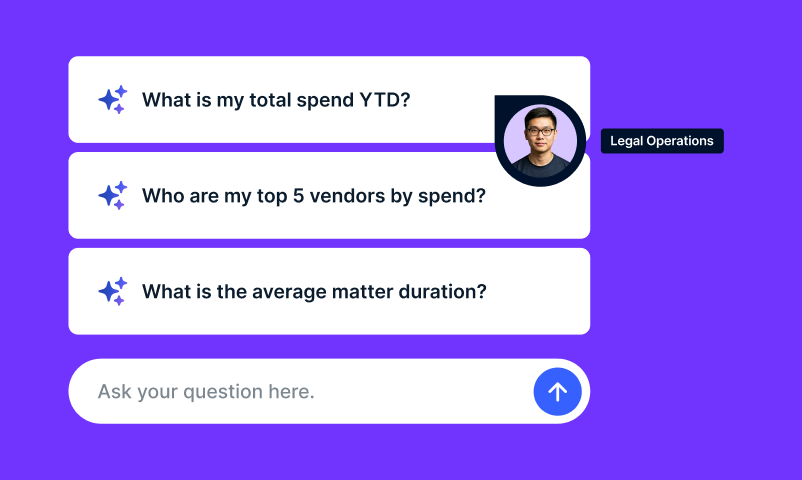


A leadership question about legal spend can trigger a reporting project: find the right report, adjust the filters, export the data, and repeat when the follow-up arrives. Ask Unity gives teams another way to get the information they need, directly within Unity ELM.
Between April and August 2026, users asked Ask Unity approximately 5,000 questions about their own spend, matter, and vendor data. Ask Unity is Onit’s conversational way to work with data across Unity, starting with Unity ELM, and it lets users ask a plain-language question and get an answer, a chart, or a path to drill in deeper, directly inside the product they already use.
That volume is worth noticing on its own. It points to something more specific than general interest in AI: teams are using conversation to access information that would otherwise require a reporting detour. For legal operations, that can mean less time assembling answers and more time interpreting what they mean for spend, workload, and outside counsel management.
What are legal teams actually asking it?
Spend and budget questions make up the largest share, about 30 percent of everything asked, covering what a team is spending and how it breaks down by matter, vendor, budget, or accrual. Status questions come up constantly too: where an invoice or vendor record stands, or how long it took to approve an invoice or close a matter. Other questions cover matter portfolios, vendors, timekeepers, and billing or compliance savings.
That breadth matters. Legal operations decisions draw on more than invoice totals. Budgets, accruals, purchase orders, and matter information provide context for understanding financial exposure, reviewing outside counsel spend, and explaining results to finance. Ask Unity makes those data available through the same conversation.
About 20 percent of questions are product how-to questions, the kind that used to mean a trip to the Resource Center or a separate support chat. Those two experiences were combined into Ask Unity in the August release, so the same conversation that answers a spend question can also walk someone through creating a matter or help them create a support ticket without leaving the chat.
For occasional users, that brings product guidance closer to the task at hand. For legal operations, it can reduce the routine questions that interrupt higher-value work.
Does this replace the reports teams already build?
Ask Unity complements established reports by giving teams another way to answer ad hoc questions without building a report by hand. Two patterns show up repeatedly in how people actually use it. The most common is asking for a downloadable version of an answer, usually an Excel file. Close behind is drilling into a result with a follow-up question: adding a column, changing the date range, or breaking a number down by week instead of by quarter, without rebuilding the request from scratch.
Answers can also take the form of line graphs, bar graphs, and pie charts, with options to download visualizations and export data. Teams can explore a result in conversation, then use the output in a leadership update, budget discussion, or further analysis.
That flexibility matters when the first answer leads to another question. If finance asks for a different time period or a vendor-level breakdown, legal operations can continue the analysis in the same conversation.
When a question is ambiguous, Ask Unity can ask a clarifying follow-up before answering. Asked something like who their slowest reviewer is, it can clarify which measure to use, such as average review time or the longest single review. Defining the measure helps users interpret the result before drawing conclusions about a potential bottleneck.
What else do people use it for, beyond reporting?
Two uses show up often enough to be worth calling out on their own. The first is summarizing key information tied to a matter or invoice, helping users get oriented without reviewing each detail individually. The second is finding data problems: missing fields, outdated entries, or records that should reconcile with each other but don’t, so a team can fix the underlying data instead of working around it.
Ask Unity also supports an organization’s custom attributes alongside standard fields. That allows teams to explore information specific to how they organize their legal work and combine it with standard matter, vendor, or spend data in their questions.
The business value is making the data teams already maintain more useful. Custom fields can inform analysis, while questions about missing or outdated information can help teams identify records that need attention.
Who is this actually for, and what should teams expect today?
Ask Unity is built into Unity ELM and supports legal operations, GCs, finance partners, procurement, and invoice reviewers. It shows up as a chat widget on every page in Unity, added in the August release, and supports questions across invoices, matters, vendors, timekeepers, budgets, accruals, purchase orders, custom attributes, and invoice reviewer rules.
The conversation is not restricted to the page a user is viewing. Someone reviewing an invoice can ask about budgets or explore a broader spend question without navigating to a separate reporting page. Product guidance is available through the same chat.
The clearest signal that a team is a good fit isn’t a title, it’s the behavior: people coming back weekly or monthly for the same kind of spend or matter information, recurring reporting requests, or reporting complex enough that it normally takes real effort to assemble.
For those teams, Ask Unity provides a more accessible way to investigate day-to-day questions alongside their established reporting processes. Its combination of broad data coverage, custom attributes, conversational follow-ups, and exportable charts can help legal operations respond to business questions with less manual report assembly.
For a broader look at how Onit is building AI into daily legal work rather than as a separate add-on, see Agentic AI in Legal Operations: What It Is and Why It Matters. To see where conversational access to your own data fits inside a full Enterprise Legal Management setup, visit Onit’s Enterprise Legal Management page.