SOLUTIONS
BY INDUSTRY
Counsel Exchange Dashboard Navigation
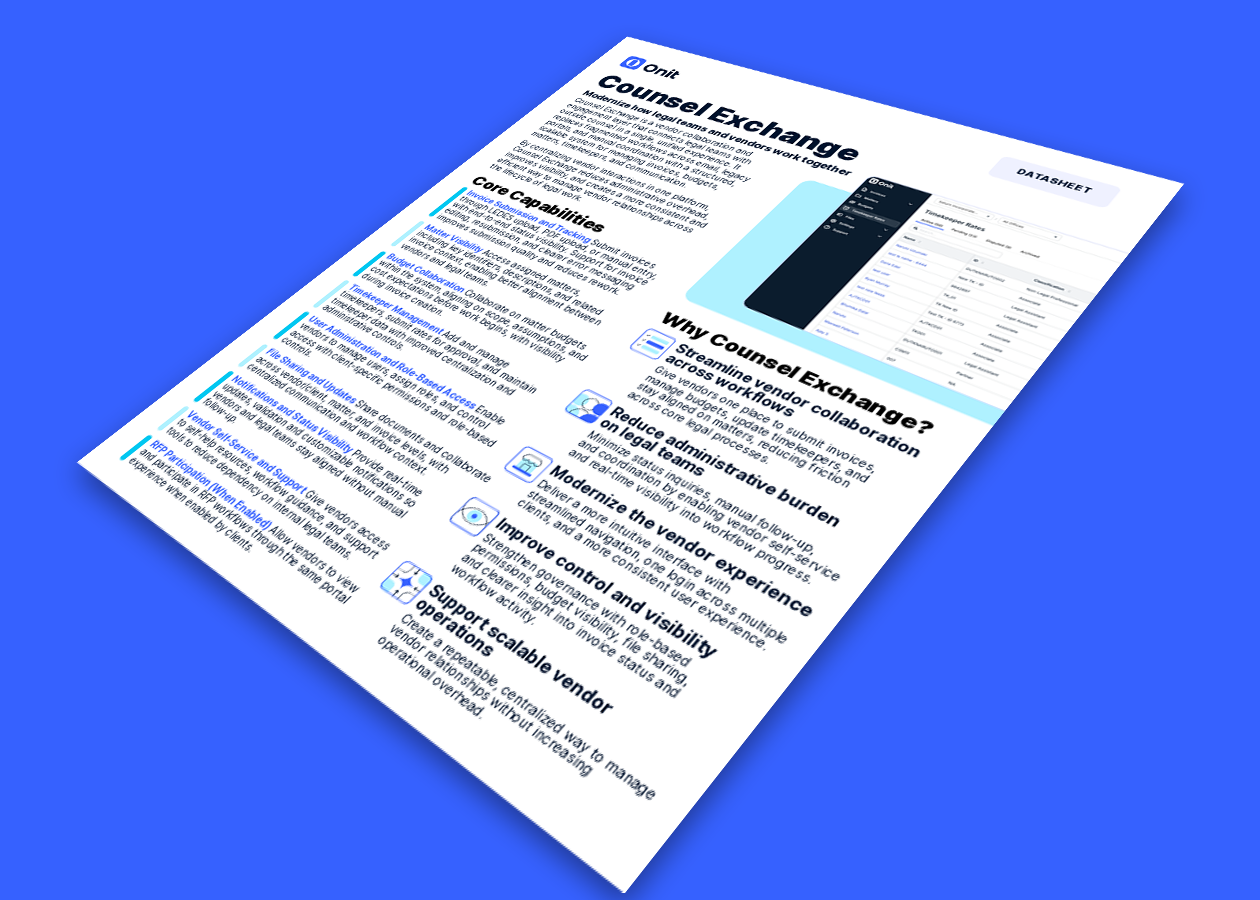
Counsel Exchange is the next evolution of Onit’s ebilling services. Counsel Exchange brings CounselGO and BillingPoint together with a responsive UI refresh and modern UX, improving speed, accessibility, and intuitive navigation, reducing vendor training time, and increasing adoption.
How to Access Counsel Exchange
Counsel Exchange builds on the trusted workflows customers and vendors already rely on today through CounselGO and BillingPoint.
Core workflows such as invoice submission, timekeeper and rate management, budget collaboration, file sharing, and status visibility continue within Counsel Exchange.
What changes is the experience surrounding those workflows.
Counsel Exchange introduces:
A scalable platform foundation for future innovation and AI-enabled capabilities
Counsel Exchange is designed to preserve critical workflows while improving usability, consistency, and long-term scalability.
Activation for Counsel Exchange marks the transition to a modernized vendor collaboration and e-billing experience. It brings together the core capabilities of BillingPoint and CounselGO into a single platform with a more intuitive interface, improved performance, and streamlined workflows.
This is not a migration, but a guided transition that allows vendors to begin using Counsel Exchange while existing systems remain available during rollout. With structured communications, training, and a phased timeline, activation is designed to minimize disruption and support adoption.
May 18: OnitX, SimpleLegal, and Unity customers begin receiving activation communications, timelines, and supporting materials
June 1: BillingPoint and CounselGO vendors begin receiving activation communications, timelines, and training materials
July 13: Counsel Exchange is activated
July 20: In-app banners appear in BillingPoint and CounselGO to notify vendors of the upcoming activation and timeline
August 17: BillingPoint and CounselGO access is terminated
Unity Counsel Exchange: Essentials for Vendors
When Counsel Exchange users log in, they’ll be guided through the new experience with an in-app walkthrough designed to help them get comfortable with the updated system. The walkthrough highlights the new layout, where to find key features and settings, and how to navigate common workflows so users can quickly find the tools and information they need.
We’re continuing to expand this library with more walkthroughs and best practices.
Counsel Exchange Master Settings User Guide
Counsel Exchange for OnitX User Guide
Counsel Exchange for SimpleLegal and Unity User Guide
Onit Support Assistant: Counsel Exchange also includes the Onit Support Assistant, an AI-powered chat tool that answers basic “how-to” questions about the platform in multiple languages. The assistant is intended for product guidance only and does not access client data or support custom data queries. Read more about Onit’s Support Assistant here.
Please note: these updated Terms & Conditions apply only to vendors and users accessing Counsel Exchange. There are no changes to the Terms & Conditions governing client use of OnitX, SimpleLegal, and/or Unity.
Will I still be able to access BillingPoint or CounselGO after activation?
Yes. There will be a 5-week dual access period where you can use both your current system (BillingPoint or CounselGO) and Counsel Exchange. After August 17, Counsel Exchange will become the single portal for all vendor activity.
Do I need to create a new login or will my existing credentials work?
No new login is required. You will use your existing username to access Counsel Exchange; however, you will be required to reset your password the first time you log in via the new Counsel Exchange URL
Is there any downtime expected during the activation period?
No. There is no planned downtime during activation, and you can continue your work without interruption.
What happens if I don’t start using Counsel Exchange by the activation date?
After the transition period ends, access to BillingPoint and CounselGO will be turned off. All activity will need to take place in Counsel Exchange.
Do I need to migrate any of my existing data or invoices?
No. All of your data—including invoices, matters, and files—will automatically be available in Counsel Exchange. No action is required on your part.
Will my historical invoices and reports still be available in Counsel Exchange?
Yes. All historical data, including invoices, matters, and reports, will be accessible in Counsel Exchange.
Is training required before I start using Counsel Exchange?
Training is not required, but it is recommended. While the experience is similar to BillingPoint and CounselGO, reviewing the provided materials will help your team get comfortable with the updated interface.
Who should I contact if I run into issues during activation?
You can reach out to Onit Support for any questions, troubleshooting, or assistance during the activation process using the steps outlined in the Contacting Support section above.
Are there any changes to how invoices are submitted?
The overall process remains the same. While the interface has been updated, invoice submission follows a similar workflow to what you use today.
Will there be any changes to billing guidelines or approval workflows?
No. Your existing billing guidelines and approval workflows will remain unchanged.
Can vendors continue submitting invoices in the legacy systems during the transition period?
Yes. During the 5-week dual access period, you can submit invoices in either BillingPoint/CounselGO or Counsel Exchange. After August 17, all submissions must be made through Counsel Exchange.
How will Onit communicate updates or important reminders during the rollout?
You can expect regular communications from Onit, including weekly updates with important dates, reminders, and next steps throughout the activation period.