Category: Legal Operations

Legal Spend Just Got Its Groove Back 

Legal Spend Groove Back Blog Image

There was a time when managing legal spend was supposed to transform the way legal teams worked. But what they actually got were clunky interfaces, disconnected tools, and manual workflows disguised as “digital solutions.” 

That ends now. 

Onit’s 2025 summer release marks a new era for legal operations, one where legal spend is easier to control and optimize.  

Introducing Unity, the AI-native framework built from the ground up to bring legal’s most critical workflows — spend, vendors, and data — within a more unified and intuitive experience. And yes, it actually does the work. 

This is what legal looks like, on your terms. 

Legal Ops Revolution - Legal Spend Just Got It Groove Back

What Makes Unity Different? 

With Unity, legal teams get a more connected interface. It’s designed to bring together work across legal spend, vendors, and data over time. And it offers AI agents that automate tasks and understand legal context, along with configurable workflows that scale. 

Say Hello to Unity e-Billing 

The first spend management pillar launched on Unity is our new ELM e-Billing experience. This was designed to help you manage outside counsel spend with precision, speed, and total control. 

ELM e-Billing centralizes all your spend management in one place. So this brings vendor data, invoice review, and budget tracking together for a clear, real-time view of legal spend. AI-powered automation speeds approvals and enforces billing guidelines. While flexible reporting and budgeting tools help you track performance, forecast accurately, and make smarter spend decisions as your team grows.  

Meet Spend Agent: Your First AI Assistant for Legal Spend 

Manual rule coding? Over. Vague invoice rejections? Gone. 

Spend Agent is your new AI-native reviewer for legal spend invoices. It interprets billing guidelines in plain language, flags issues on incoming invoices, and generates crystal-clear justifications. It even helps vendors understand and fix issues faster. 

Spend Agent offers instant compliance without the complexity; audit-ready transparency; smarter decision-making with less manual effort. 

Legal spend - Spend Agent by Onit

CounselMatch: Find the Right Firm, Fast 

When outside counsel selection feels like guesswork, CounselMatch steps in. With access to more than 400,000 attorneys and 5,800+ firms, it lets you filter by performance, billing model, diversity, and practice area, then integrates your choice. 

Faster selection. Smarter partnerships. Better results. 

And That’s Just the Beginning 

In addition to Unity, this release brings major upgrades across the broader Onit ecosystem: 

SimpleLegal now keeps internal and external budgets in sync with matter-specific rate settings that put you in the driver’s seat. And the redesigned budget view makes it faster to filter, sort, and take action because budgeting should move as fast as the rest of the team.  

Legal Ops and Spend Management

ContractWorks now offers folder-level auto-tagging (Beta) for instant metadata capture, Retry AI Processing to refresh legacy contracts, and self-service tag activation for faster implementation and value. Contracts API adds e-signature support, enabling packets to be sent from external systems with fewer steps for quicker execution and a smoother path from draft to done.  

BusyLamp now allows users to track invoice revisions; automate WIP archiving; simplify dropdowns; tighten access controls to protect sensitive data. 

Built for Scale and Designed for Legal, by Legal 

Unity is more than a product. It’s a signal that legal tech software is finally evolving and that it’s evolving on legal’s terms. 

With Unity, legal departments gain more control over legal spend across your department; improved workflows across every part of the legal lifecycle; real-time visibility into vendors, matters, and contracts; automation that speaks legal’s language; a connected experience that replaces siloed systems. 

legal spend with onit elm ebilling spend agent and counselmath

Why Legacy ELM Fell Short 

For years, enterprise legal management software made promises it couldn’t keep. Legacy systems were built for a different era, before AI, before flexible workflows, and certainly before legal ops became the strategic driver it is today. They were hard to configure, harder to adopt, and forced legal teams to work around technology instead of with it. 

The result? Fragmented systems, manual workarounds, and limited visibility. Innovation stalled because the software didn’t move at the speed of legal

Unity changes that.  

Moving Legal Workflows Toward Connection and Scale  

Many legal ops teams struggle with time-consuming invoice reviews, vendor management spread across spreadsheets, and point solutions that do not connect. Unity is being built to address these challenges by bringing core legal workflows closer together in an AI-native environment that can scale over time.  

With Spend Agent reviewing invoices in real time as an add-on to Unity e-Billing and OnitX ELM, and contract data extracted in seconds via ContractWorks, legal teams are gaining back time and putting it toward higher-impact work. They’re spending less time fixing broken workflows and more time driving strategy. 

Who Unity e-Billing is Built For 

Unity e-Billing is designed for legal teams that want a lightweight, simple, and fast legal spend management solution. It’s built for in-house teams looking to enforce billing guidelines, accelerate approval workflows through automation, and gain clear insights into vendors and legal spend.  

Whether you’re a GC looking for visibility across departments, a legal ops lead managing complex budgets, or a contract manager streamlining workflows, Unity e-Billing was built with you in mind. 
Legal Ops on your terms. Spend management. Onit ELM ebilling. CounselMatch. SimpleLegal.

Why Onit Built Unity 

At Onit, we’ve always believed legal should lead, not follow. That’s why we built Unity from the ground up: to deliver a truly AI-native solution that’s powerful enough for enterprise scale but flexible enough to meet teams where they are. 

Unity combines intelligent automation, hands-on support, and a modular structure that adapts to each customer’s needs. It’s more than software. It’s a commitment to helping legal teams modernize on their terms with trusted intelligence, connected tools, and expert guidance at every step.  

Ready to See Unity in Action? 

Whether you’re rethinking spend management, centralizing vendors, or ready to use an AI spend agent, Unity gives you the tools to move faster, smarter, and with more confidence than ever before. 

Ready to see it in action? We’ll show you. 

Book a demo to explore how Unity can workon your terms. 

Modern Legal Operations Starts with Smarter Tools, Not More People 

Modern legal operations doesn’t need more complexity. It needs a reset.

Legal teams everywhere are feeling the pressure: do more with less, move faster without compromising accuracy, and be strategic while staying compliant. Sounds like a tall order, doesn’t it? That’s where modern legal operations come in.  

Today’s legal departments are trading bloated systems and manual processes for purpose-built platforms which offer data-backed insights and integrated workflows. With the right legal ops tools in place, legal teams of all sizes can move from reactive to proactive, from being viewed as bottlenecks to becoming true business drivers. 

What Are Legal Ops Tools, and How Do They Support Modern Legal Operations? 

At their core, legal ops tools are the systems, software, and strategies that enable in-house legal teams to become high-performing business units. Think of them as the infrastructure of modern legal operations. These are the tools that provide visibility, consistency, and control across legal workstreams. 

Whether it’s managing outside counsel, wrangling contracts, automating invoice approvals, or pulling performance analytics for the GC’s board presentation, these tools are doing the quiet heavy lifting so legal professionals can focus on lawyering, not logistics. 

And here’s the kicker: you don’t need to be a Fortune 100 to get started. Legal operations is no longer a luxury. It’s a necessity, and modern legal operations help make that shift possible.

Top 5 Legal Ops Tools That You Can’t Live Without 

Not all tools are created equal. If you’re building out your legal ops tech stack as part of a modern legal operations strategy, start with these five. 

1. e-Billing & Spend Management 

Think of this as your financial GPS. Tools like Onit’s ELM e-billing help legal teams track every dollar spent, analyze outside counsel performance, and surface opportunities to switch from hourly billing to AFAs. It’s also a great way to build trust with finance by giving them exactly what they want: predictability. 

2. Matter Management 

No more mystery around who’s doing what, where, and by when. A matter management platform organizes caseloads, deadlines, documents, and stakeholders in one centralized space. Bonus points if it integrates with your other tools. Nobody needs another silo. 

3. Contract Lifecycle Management (CLM) 

From NDAs to MSAs to “we-needed-this-yesterday” custom deals, CLM tools accelerate contract review cycles, reduce risk, and bring visibility into every stage of the contract journey. 

4. Legal Service Requests & Intake 

Tired of email chaos and surprise fire drills? Legal intake tools are your “legal front door” and help standardize the way the business requests help, routes tasks, and automates common responses. Translation: fewer interruptions, more strategy. 

5. Analytics & Dashboards 

Legal teams are no longer the department of “no.” They’re strategic partners at the table. That means showing up with data. Modern legal operations depend on tools that deliver insights into spend, efficiency, and performance so you can speak the same language as your CFO. 

“We Have No Idea Where Our Legal Budget Is Going” 

That’s not just a stressful statement. It’s a red flag waving over your entire department. When legal spend is opaque and unpredictable, it creates ripple effects across the business. Finance loses confidence. Leadership starts asking hard questions. Legal’s seat at the strategy table starts to wobble. If you’ve ever found yourself scrambling to explain quarterly spikes or retroactively justifying outside counsel costs, it’s time to stop duct-taping your processes and start upgrading your foundation. 

This is where legal ops tools come in. The right tech stack doesn’t just help you track spend. It gives you the foresight to manage it. By consolidating billing data, enforcing guidelines, and surfacing actionable insights, modern tools replace guesswork with clarity. And in today’s fast-paced business environment, clarity is your most valuable currency. 

Chaos Isn’t a Strategy (But It’s Often the Default) 

You shouldn’t need a crystal ball to figure out where a contract is in the approval cycle or whether that vendor invoice was reviewed. But if your team is constantly chasing status updates across inboxes or relying on tribal knowledge to move matters forward, you’re not alone. You’re just stuck managing legal operations the way it used to be done. 

Legal ops tools solve this by creating structure around workflows. They help standardize intake, route requests based on urgency or risk, and give legal leadership the kind of performance metrics that other departments have had for years. No more managing legal like it’s 1999. No more spreadsheet heroics. Just a streamlined, connected way to run legal like a business unit… because that’s what it is. 

So if legal still feels like the team that slows things down instead of driving things forward, it’s not a people problem. It’s a tooling problem. And that’s fixable. 

Rethinking Legal Operations for a Modern Era 

Too often, legal operations has been synonymous with clunky systems and slow adoption. But today’s approach is different. It’s modular, agile, and built for the way legal actually works. Legal ops leaders aren’t looking for another layer of process. They’re looking for clarity, control, and cross-functional momentum. 

This evolution is particularly visible in how teams approach enterprise legal management. Not as a static system, but as a dynamic strategy. When powered by the right legal ops tools, modern legal operations become more than just a support function. They become a strategic engine that helps legal collaborate better with finance, support faster deal cycles with sales, and forecast resource needs before a crisis hits. 

This isn’t just a digital transformation for the sake of “change.” It’s legal, evolved and positioned to lead. 

Future-Proofing Legal: AI, Automation, and the Tools Ahead 

Legal ops tools aren’t static. As AI, NLP, and machine learning evolve, they’re rapidly being baked into legal operations platforms, making it easier to: 

  • Auto-classify incoming legal requests 
  • Flag risky contract language 
  • Review invoices for compliance 
  • Predict matter outcomes based on historical data 

In other words, your legal tech stack isn’t just about catching up. It’s about staying ahead. 

table with legal operations papers scattered on it

AI is already transforming the way legal work gets done. From invoice review to matter triage to contract risk scoring, legal ops teams are finding ways to scale their impact without scaling their headcount. And the best part? These tools are becoming easier to implement and easier to justify, especially when they show measurable ROI. 

For many teams, this next wave of modern legal operations is finally closing the gap between day-to-day legal work and enterprise legal management goals that once felt out of reach. 

What’s Your Move? 

The legal industry is transforming, and modern legal operations are the engine behind that evolution. Whether you’re a solo legal ops pro or part of a global team, investing in the right tools today will pay dividends tomorrow. Because at the end of the day, the best legal departments don’t just respond to change. They drive it. 

If you’re ready to take the next step, we’ve got two resources to help you get started. 

Step 1: Download our Legal Ops 101 One-Pager: A quick-hit guide to what legal ops is and why it matters. Perfect for busy GCs and legal ops leads needing a fast gut check. 

Step 2: Dive deeper with our Legal Operations 101 Whitepaper. This is a comprehensive, strategic blueprint for building and scaling a high-impact legal ops function. From hiring to tooling to cross-functional collaboration, it’s everything you need to chart the right course. 

Step 3: Already know what you need? Let’s talk. We’d love to hear what you’re solving for. 

Legal Tech Stack Reboot: Smarter Legal Operations Tools, On Your Terms

Uploading 1 / 1 – Legal Tech Stack Reboot Smarter Legal Operations Tools On Your Terms.png Attachment Details Legal Tech Stack Reboot Smarter Legal Operations Tools On Your Terms - puzzle pieces to represent choice

Legal operations tools were supposed to simplify your work. Instead, they’ve multiplied it.

Most legal departments today are buried in disconnected systems: one for intake, another for invoice review, and even more just to get a clear report. The result? A tech stack that creates more problems than it solves, and a legal ops team stuck managing chaos instead of driving strategy.

Tasks are repeated. Workflows get bottlenecked. Spend slips through the cracks. And while your tech promises to do more, your team ends up doing the heavy lifting.

But never fear, change is here. The latest generation of legal tech — like Onit ELM — is smarter, faster, and actually works the way legal teams do. This is your chance to reboot.

Here’s how to evaluate what’s worth keeping, what’s holding you back, and what your legal operations tools should actually deliver.

Why Legal Tech Feels Broken (Even If It’s “Modern”)

What’s marketed as innovation often turns out to be a fresh coat of paint on the same legacy platform. Or worse: a tool that “uses AI” but still asks you to forward invoices to a shared inbox (booo!).

The brutal truth? Many legal ops teams are working harder just to keep their tech stack afloat. But often, they’re just getting buried under more work.

When your legal software becomes yet another system to navigate, rather than a tool that actually supports how your team works, it’s not helping. It’s slowing you down.

And that’s not modernization; that’s just maintenance and more work.

Why Legal Operation Tools Matter More Than Ever

Legal operations has moved from reactive service provider to proactive business partner, and expectations are rising. You’re being asked to control costs, forecast accurately, streamline intake, prove value, and do it all with limited resources.

You can’t meet that mandate with a disconnected set of point solutions. You need legal operations tools that are cohesive, intelligent, and action oriented. Your tech stack isn’t just supporting legal operations anymore. It defines what your department can achieve.

And the gap between the teams who have the right tools — and the ones who don’t — is only going to widen.

What Today’s Legal Ops Tools Should Actually Do

To move your legal team forward, your tools need to do more than plug gaps. They need to remove them entirely. Whether you’re managing matters, invoices, or workflows, here’s how a truly world-class platform can help.

1. Streamline Legal Spend Management and Invoicing

Tracking spend isn’t enough. Today’s tools should help you control it.

That means smarter automation, like flagging billing violations before they hit your desk. AI bill review should be baked into the platform, not added through a third party. You should be able to see which vendors are overspending, which departments are trending high, and where your money is going – without digging through PDFs or spreadsheets.

If your legal spend data lives in silos or static reports, you’re not just lacking insight. You’re losing leverage.

2. Activate AI That Actually Works for Legal

AI shouldn’t just generate summaries. You deserve AI that actually delivers results.

Legal operations tools that claim AI functionality need to do more than slap a chatbot into the corner of your screen. They should automate approval workflows, intelligently triage legal intake, and reduce manual touchpoints that drain your time.

The best AI doesn’t just respond. It anticipates and learns. It works in the background to keep things moving, so your team can focus on legal strategy (not software babysitting).

And if your current tools can’t evolve , it might be time to look for a new partner that can.

3. Automate Legal Workflow (Without the Extra Work or Headaches)

Legal operations professionals are no strangers to bottlenecks. New requests come in through Slack, email, shared folders, and more. Most of it still ends up relying on manual routing.

It doesn’t have to be this way. The right workflow engine should centralize intake, automatically assign tasks based on priority or matter type, and give full visibility into what’s moving and what’s stuck.

Workflow automation isn’t about adding layers of logic. It’s about removing friction. If your current tech still makes you manage work around the system, it’s not working hard enough for you.

4. Deliver Analytics Built for Legal Ops

Your team is already overloaded. The last thing you need is another dashboard to keep track of. You need answers… fast.

A legal operations platform should give you real-time visibility into the health of your matters, your spend, vendor performance, and internal resourcing. Reporting shouldn’t take days. It should take a few clicks, and it should tell you something useful.

If your system can’t explain where your time and money are going, or which firms are helping you hit KPIs, is it even a reporting tool? No, it’s a mirror.

Choosing the right legal tech solutions

Time for a Tech Stack Reality Check?

Legal ops teams are being asked to deliver more value with less margin for error. But if your legal tech is still clunky and disconnected, it’s undermining your mission instead of supporting it.

The gap between expectation and execution is where your tech stack lives. And if you’re constantly working around the limitations of your tools, you’re definitely not being set up to lead.

Rebooting your legal tech stack isn’t about chasing trends. It’s about reclaiming control. On your terms.

Ready to Really Evaluate Your Legal Ops Tech?

Download Onit’s AI Buyer’s Guide to get the goods on what to look for. This is a practical resource built for legal operations teams who want clarity.

The guide walks you through the real questions that matter:

  • Are your tools actually AI-capable, or just AI-labeled?
  • Is your spend management workflow helping you control costs or just documenting them?
  • Can your platform scale with your needs, or are you building on top of duct tape?

You’ll get a clear framework to assess what you have today, identify what’s missing, and understand what to look for in your next legal tech investment. It’s helpful whether you’re upgrading one piece or rethinking your entire stack.

If your current tools are costing you more time than they save, the AI Buyer’s Guide will help you spot the signs early and move forward with confidence.

Modern Legal Ops Software vs. Legacy ELM: One Drives Legal Forward, the Other Holds You Back 

Modern Legal Ops Software vs. Legacy ELM: One Drives Legal Forward, the Other Holds You Back

Modern legal ops software isn’t just a nice-to-have. It’s the difference between keeping pace and falling behind. Legal teams today are buried under increasing demands to move faster, control spend, reduce risk, and deliver measurable value to the business. But too many are still stuck using outdated dinosaur systems that are molasses-slow and create more work than they solve.  

But the world has changed. And your software should too. 

The Evolution of Legal Ops Software 

Legal operations has matured into a critical function that supports everything from risk management to vendor oversight to spend optimization. What once required spreadsheets and emails is now managed through dedicated platforms. 

But not all platforms are created equal. Older tools often fall short in key areas: 

  • Limited connectivity across departments and enterprise systems 
  • Rigid workflows that cannot adapt to evolving legal processes 
  • Outdated interfaces that hinder adoption and user engagement 
  • Minimal automation and little embedded intelligence 
  • Siloed functionality due to years of bolt-on acquisitions 

For years, enterprise legal teams relied on traditional ELM tools. But those systems are showing their age, and Onit is changing the game.  

This shift has made the case for modern legal ops software stronger than ever. Additionally, as some mid-market platforms get absorbed into legacy stacks, their innovation slows, roadmaps stall, and legal teams are left waiting.  

If your software only documents legal work, it’s already behind. Forward-thinking teams demand more. They expect speed, clarity, and real impact. 

Whether you’re a three-person team or a global legal department, the right legal ops software grows with you and adapts to whatever comes next. 

Legacy ELM: Familiar Foundations, But Growing Friction 

We’ll be honest, legacy legal ops software had its moment. It brought order to chaos when spreadsheets ruled legal ops. But those wins? They’ve become friction. The platforms are rigid and outdated. And dressed-up design doesn’t fix what’s broken underneath. 

Most legacy legal ops tools were never designed for AI, automation, or real-time data. They create silos instead of streamlining collaboration. 

The interfaces are antiquated and clunky. Instead of helping teams move faster, these platforms slow everything down. 

And as demands on legal teams grow, that friction only increases. If your team is spending more time managing the system than getting work done, then it’s not a platform, it’s a problem.  

AI-powered solutions for legal ops exist for a reason. They’re built to replace all of this. 

How Legacy Systems Stall Legal Operations 

Legacy legal ops systems were built to bring order to legal work, but today they often create bottlenecks that slow progress. Whether it’s processing invoices, pulling reports, or updating workflows, tasks that should take minutes often take days (or weeks!). 

Here’s how legacy systems typically hold teams back: 

  • Data is fragmented. Teams must dig through disconnected systems to get a full picture of legal spend or matter status 
  • Workflows are rigid. Making process changes requires technical resources, vendor support, or both 
  • Reporting is slow and disconnected. Teams still export spreadsheets and cobble together outdated views instead of acting on live data. 
  • Collaboration is difficult. Finance, procurement, and legal often work in silos, leading to misalignment and duplicated effort 

An AI-powered legal ops solution eliminates these issues by unifying data, streamlining collaboration, and making critical processes faster and easier to manage. It removes friction from day-to-day operations so legal teams can focus on delivering business value, not managing tools. 

Modern Legal Ops Software: Built for Today’s Teams 

Modern legal ops software isn’t just easier to use. It’s built to help legal teams lead. No more clunky interfaces, no more waiting on IT, and no more systems that slow you down when everything around you is speeding up. 

The best platforms feel intuitive from day one. They don’t just digitize your workflow. They improve it. AI handles the busywork like invoice review and guideline compliance so your team can stay focused on higher-impact work. Updates are fast. Reporting is real time. The software fits how your team works, not the other way around. 

And when it’s time to scale, you won’t outgrow it. Whether you’re a three-person team or a global legal department, the right legal ops software grows with you and adapts to whatever comes next. 

This goes beyond better software. It’s a better way to run legal. 

Image representing a legal team considering modern legal ops software

What Legal Teams Need Today

Companies now hold legal teams to the same standards as departments like finance and sales, but legal often lacks the automation, analytics, and infrastructure to keep up.

AI-native legal software changes that. It transforms legal from a reactive cost center into a proactive business driver.  

Here’s what legal teams can (and should) expect when they make the switch: 

  • Answers in seconds, not hours. Built-in AI surfaces key insights instantly without digging through spreadsheets or waiting on IT 
  • Smart workflows that reduce manual effort. Configurable logic automates routing, triage, and task assignments
  • Invoice review that enforces your policies. AI catches billing violations before they hit your team, removing manual review queues and human error 
  • A platform that gets smarter over time. AI continuously analyzes how your team works and fine-tunes processes for greater speed and efficiency. 
  • Scales with intelligence, not added headcount. AI-native solutions grow with your team by automating what legacy tools outsource, without inflated service costs or slow timelines 

This is not traditional automation dressed up with buzzwords. Legal ops software designed from the ground up ultimately deliver speeds, accuracy, and strategic impact. And that’s what legal teams want and need.

Legacy ELM vs. Today’s Legal Ops Tech Choice 

Legacy ELM Smarter Legal Tech 
Outdated user interfaces that slow teams down Clean, intuitive design that legal teams actually use 
Long, complex implementation timelines Quick deployment with minimal lift from IT 
Disconnected tools that don’t speak to each other A simplified experience for managing spend, matters, contracts, and vendors 
Basic automation that still requires manual cleanup AI-powered automation that handles the heavy lifting 
Configuration changes that depend on IT or consultants Easily configurable workflows with no code required 
Unclear or stagnant product roadmaps Transparent, customer-informed product development 

Making the Case for Change 

Switching from a legacy tool to modern legal ops software is a strategic decision. Many teams hesitate due to long-standing contracts or internal dependencies. But increasingly, the costs of standing still — inefficiency, missed insights, and user frustration — outweigh the challenges of change. The longer teams delay, the more money slips through the cracks. 

Legal teams are choosing to move forward for a reason. They want to operate as strategic partners to the business. They need data to drive faster, smarter decisions. They’re done with bottlenecks and overhead. And they want tools that actually scale with them, not against them. 

Next-generation legal operations tools are not just replacements. They’re accelerators. 

A laptop with a sprout, representing growth and change for legal teams

Implementing Scalable Legal Tech Solutions Without the Headaches 

Modern legal ops software is designed for quick, low-stress implementation. Cloud-based delivery removes installation barriers, and configuration happens through intuitive tools rather than complex code. 

Legal teams can customize workflows to match their processes without relying on IT. Onboarding is guided and streamlined, helping teams see value faster. 

With clean interfaces and simplified workflows, adoption feels natural. The transition is not disruptive. It’s a faster path to better operations. 

The Bottom Line on Legal Ops Software

It’s true: Legacy systems helped legal departments digitize. But modern legal ops software helps them optimize. 

This shift is not about chasing trends. But it is about enabling your team to do its best work with tools that meet you where you are and grow with you.  

If your platform is slowing you down, it’s time to consider one designed for the pace and precision your legal team needs.  

Book a demo to see how Onit empowers legal teams with AI-native software, so you can stop settling and start scaling on your terms. 

Want a quick gut check on where your legal ops stack stands? Download our Legal Ops Checklist to find out if your tech is keeping up or holding you back.

Agentic AI in Legal Operations: What It Is and Why It Matters 

Agentic AI in Legal Operations: What It Is and Why It Matters

The legal tech world has no shortage of buzzwords, but every once in a while, one sticks for good reason. Agentic AI is one of them. Agentic AI in legal operations is stepping into the spotlight as legal departments continue to look for ways to streamline operations, manage risk, and do more with less. Unlike traditional AI tools that wait for instructions, agentic AI can make decisions, take action, and complete complex legal workflows autonomously. 

Let’s break down what agentic AI is, how it works, and why it’s becoming an essential part of legal operations strategy

What Is Agentic AI? 

Agentic AI refers to a new class of AI tools designed to plan, execute, and adapt multi-step tasks on their own, with minimal human input. These “AI agents” don’t just answer prompts — they take goals and run with them. 

For example, instead of asking an AI to redline a single clause, a legal operations team could give an agentic AI a broader task: review this contract, identify risky clauses, suggest edits, and generate a final version based on company policy. And it would do it — autonomously. 

The key difference between agentic AI and standard generative AI is agency: the ability to make decisions, use tools, and iterate toward a goal. 

Representation of Agentic AI for legal ops, with person holding cell phone and using AI

How Agentic AI Powers Legal Workflow Automation 

In legal operations, time is money — and repetitive tasks are the bottlenecks. Agentic AI in legal operations can help automate end-to-end legal processes such as: 

  • Reviewing and redlining contracts based on predefined rules 
  • Extracting data from legal documents and routing it to the right systems 
  • Managing intake and triage for legal service requests 
  • Drafting reports, summaries, and status updates across departments 

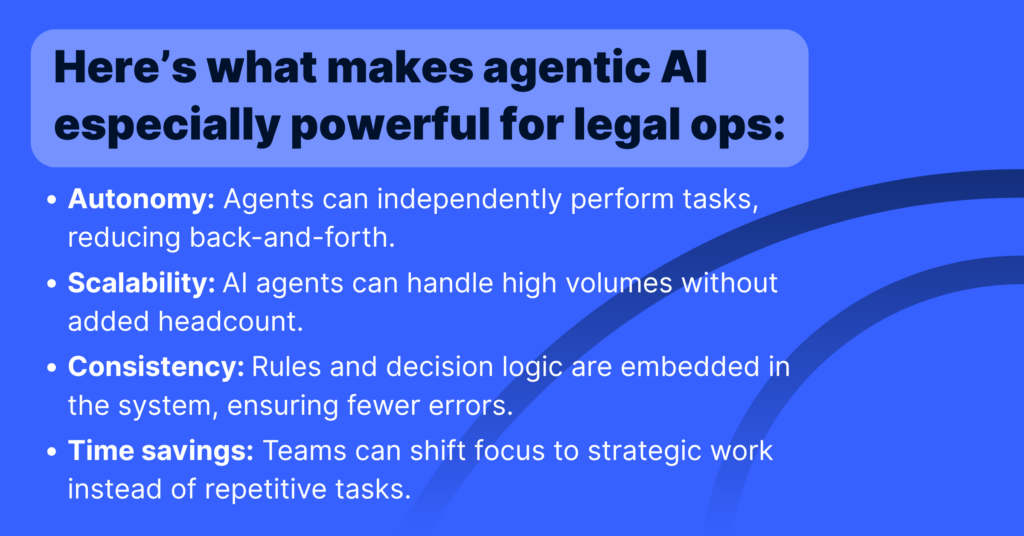
By enabling AI agents to interact with tools (like databases, document editors, and workflows), Agentic AI in legal operations creates a smarter, self-sufficient layer of automation that reduces manual effort while increasing speed and consistency. 

How Does Agentic AI Work: A Brief Explanation

At its core, Agentic AI blends a powerful language model with access to tools, data, and logic, giving it the ability to not just respond but act.  
 
Think of it this way: traditional AI tools wait for you to tell them what to do, step-by-step. Agentic AI starts with a goal and figures out how to get there. It doesn’t just generate an answer, it drafts the document, finds the data, reviews the terms, and refines the output until the task is done.  
 
These tools are often built by connecting a language model with software tools, business rules, and datasets the designated agent can access and use. Depending on the complexity of the workflow, this setup can be customized to suit specific tasks — whether that’s redlining contracts, generating reports, or routing approvals.  

Benefits of Legal AI Automation for In-House Teams and Law Firms 

Some teams opt for pre-configured setups with broader capabilities, while others tailor their systems for more focused use cases.  

The choice comes down to speed vs. precision — some teams need flexibility, while others prioritize control and simplicity. 

Benefits of Agentic AI in legal ops

The result? Faster legal service delivery, better alignment with business goals, and a more modern, resilient legal ops function. That’s exactly the kind of impact Agentic AI in legal operations is designed to deliver. 

What to Know Before Implementing Agentic AI in Legal Operations 

Of course, agentic AI isn’t magic. There are tradeoffs: 

  • Cost and complexity: Building agentic systems — especially at enterprise scale — can require time, money, and technical expertise. 
  • Testing and trust: Because agentic systems can produce a range of outputs, validating their performance and accuracy takes careful design. 
  • Overengineering risk: Sometimes a simple rule-based automation is enough. Not every task requires a multi-agent system. 

The key is finding use cases where autonomy pays off and implementing right-sized solutions. 

Why Agentic AI Is the Future of Legal Tech 

The shift toward agentic AI reflects a broader movement in legal operations: from reactive support to proactive enablement. Legal teams are no longer just processing work — they’re driving innovation, shaping policy, and delivering business value. 

The future is PEOPLE PLUS AI. We're going to be completing tasks 25% faster and to a higher quality. - Jean Yang, VP of AI Transformation

Agentic AI isn’t just another tool in the tech stack. It’s a teammate.  

And in some cases, it’s doing the work 70x to 270x faster. In our recent Better Call GPT research from the Onit AI Center of Excellence, we found that AI-powered contract review using Large Language Models (LLMs) can dramatically outperform human reviewers. This isn’t just about speed — it’s about freeing legal teams to shift their focus from manual review to high-impact strategic work. When AI agents handle the grunt work, legal becomes a driver of business velocity.

How Onit Is Supporting Legal AI Automation 

At Onit, we’re focused on helping legal teams evolve through automation, innovation, and intelligence. Whether you’re exploring your first AI use case or scaling your legal ops ecosystem, our platform is built to support modern workflows — including emerging agentic AI capabilities. 

Want to see how legal AI automation can transform your team’s impact?

Explore our solutions to discover how Onit is helping legal departments streamline workflows, accelerate service delivery, and embrace the future of legal tech with confidence.

Ready to Take the Next Step?

If your team is ready to move from experimentation to execution — and you want a smarter, faster way to operate — we’re here to help. Book a demo and see agentic AI in action.

How Generative AI is Elevating Legal Operations Efficiency

In-house legal teams today face increasing pressure to deliver more value while managing leaner resources. According to the Blickstein Group’s 13th Annual Law Department Operations Survey, funding for personnel, technology, and talent retention ranked as one of the top challenges for legal departments in recent years. To address these challenges, legal teams are increasingly leveraging generative AI to streamline workflows, reduce repetitive tasks, and focus on strategic initiatives.

Generative AI—AI that creates text, content, and insights based on vast data inputs—has emerged as a transformative tool for legal operations. Unlike traditional AI systems that rely solely on rules-based processing, generative AI can analyze patterns, produce human-like outputs, and enhance operational efficiency across various legal functions. Let’s explore how generative AI specifically impacts legal operations and delivers measurable results.

1. Revolutionizing Contract Management

Contract management has long been a bottleneck for legal teams, particularly when reviewing high volumes of routine agreements like NDAs, vendor contracts, and service agreements. Generative AI simplifies and accelerates these processes in several ways:

  • Automated Drafting and Review: Generative AI tools like ChatGPT and others can draft contracts based on predefined templates and guidelines. For example, a legal team can input core contract elements, and the AI generates a draft tailored to specific business terms, reducing manual workload.
  • Risk Detection and Clause Standardization: Generative AI can flag missing or non-compliant clauses, propose alternative wording, and ensure contracts meet regulatory and organizational standards.
  • Faster Turnaround Times: By automating low-complexity tasks, generative AI reduces the time needed for contract approvals, accelerating workflows by up to 70%.

This allows legal teams to redirect their efforts from routine contract tasks to high-value activities like negotiating key terms or managing strategic relationships.

2. Smarter Spend Management with AI-Driven Invoice Review

Legal departments often struggle to manage outside counsel spending while enforcing billing guidelines effectively. Generative AI transforms invoice review by using natural language processing (NLP) and machine learning to identify billing anomalies and enforce compliance:

  • Automated Line-Item Audits: Generative AI reviews invoices against billing guidelines, flagging issues like overstaffing, incorrect rates, or unauthorized expenses.
  • Pattern Recognition: The system learns from historical billing data, identifying trends and proactively suggesting cost-saving opportunities.
  • Scalable Review Processes: Whether reviewing a single invoice or thousands, generative AI significantly reduces manual effort while maintaining accuracy.

By automating invoice review, legal departments not only reduce time spent on tedious audits but also achieve cost savings by catching billing errors early.

3. Generating Legal Documents with Supervised Learning

Document generation is a critical yet time-intensive task for legal teams, especially when accuracy and consistency are paramount. Generative AI leverages supervised machine learning to assist in this area:

  • Template-Based Creation: AI-powered tools can generate matter-related documents, including contracts, summaries, and client correspondence, by auto-populating key fields such as dates, costs, or parties.
  • Consistency Across Outputs: Generative AI ensures that documents adhere to organizational standards, reducing errors and maintaining uniformity.
  • Enhanced Productivity: Pretrained algorithms allow teams to produce complex legal documents in a fraction of the time, freeing up resources for higher-value work.

This ensures that legal operations run smoothly while maintaining the quality and consistency expected in enterprise-level environments.

4. AI-Driven Research for Strategic Insights

Legal research is another area where generative AI delivers transformative benefits. Traditional research methods often require extensive time spent combing through case law, regulatory updates, and precedents. Generative AI enhances this process through:

  • Rapid Data Analysis: AI systems process vast amounts of legal data in seconds, summarizing relevant cases, statutes, or precedents tailored to specific queries.
  • Enhanced Accuracy: Unlike manual research, generative AI scans every line of text, ensuring no critical detail is missed.
  • Data Visualization and Forecasting: Some tools integrate research insights into dashboards, allowing teams to visualize trends in litigation outcomes, contract performance, or compliance risks.

This not only reduces the time spent on research but also equips legal teams with actionable insights for strategic decision-making.

5. Strengthening Compliance and Risk Management

Compliance and risk management are critical areas for large legal departments, especially in heavily regulated industries. Generative AI enhances compliance efforts by monitoring regulatory updates and identifying areas of concern:

  • Regulatory Tracking: AI tools can monitor changes in laws and regulations across jurisdictions, providing timely alerts and tailored recommendations.
  • Automated Risk Assessment: Generative AI reviews policies, contracts, and internal practices, flagging potential risks before they escalate into issues.
  • Proactive Reporting: AI-generated summaries of compliance metrics or risk exposures allow teams to stay ahead of regulatory challenges.

By leveraging generative AI, legal departments can reduce the risk of fines or litigation, ensuring smoother operations and adherence to standards.

6. Unlocking Predictive Insights for Better Decision-Making

Generative AI not only handles repetitive tasks but also provides predictive insights that inform strategic planning. By analyzing historical data, AI tools can forecast trends in:

  • Litigation Outcomes: Predictive models assess the likelihood of success in specific cases based on similar past matters.
  • Budgeting and Resource Allocation: Generative AI helps legal teams predict matter-related expenses, enabling more accurate financial planning.
  • Contract Performance: AI tools can assess contract compliance and performance, identifying potential areas for renegotiation or improvement.

These predictive capabilities allow legal leaders to make data-driven decisions, ensuring their departments remain aligned with broader business goals.

Next Steps: Leveraging Generative AI in Your Legal Department

For legal teams looking to integrate generative AI, the key is to start with scalable, high-impact use cases like contract management, invoice review, or compliance monitoring. Tools like Onit’s family of enterprise workflow solutions offer tailored AI-driven platforms to optimize legal operations.

Generative AI is no longer a distant possibility—it’s a reality reshaping how legal departments work. By embracing these tools, legal teams can enhance their value to the organization, reduce costs, and stay ahead in an increasingly competitive business landscape.

Learn more about how Onit’s AI-enabled products digitally transform the contract lifecycle.

Future-Ready E-Invoicing: BusyLamp’s Solution for Germany’s 2025 Mandate

A major shift in Germany’s e-invoicing requirements is just around the corner—will your organization be ready?

As businesses in Germany gear up for the upcoming e-invoicing regulations set to take effect in January 2025, staying ahead of compliance requirements has never been more critical. BusyLamp is proud to introduce the InvoiceConnect enhancement for our Smart Invoice Converter (SIC) — an innovative solution designed to ensure effortless compliance, improve efficiency, and enhance data accuracy for legal teams and law firms. This new feature not only addresses Germany’s federal e-invoicing mandates but also prepares businesses for evolving EU-wide standards.

What Does the New InvoiceConnect Enhancement Bring?
Germany’s “Wachstumschancengesetz” mandates that all taxable domestic B2B transactions must utilize e-invoicing starting January 1, 2025. To meet these requirements, BusyLamp’s Smart Invoice Converter now supports:

  • Import and Processing of Multiple Formats: Easily handle XRechnung (Germany’s federal invoicing standard) and ZUGFeRD (PDF/A3 with embedded XML).
  • Automated Conversion to LEDES Format: Transform e-invoices into the globally recognized LEDES format for seamless integration with EBilling.Space (EB.S).
  • Built-in Data Validation: Ensure accuracy and completeness of invoices before submission, reducing the risk of delays or rejection.

This enhancement offers law firms and legal teams a centralized, user-friendly application to manage invoicing processes while minimizing errors and manual effort.

Why This Matters

Non-compliance with e-invoicing mandates can lead to significant operational disruptions, including rejected invoices, delayed payments, and penalties. With the BusyLamp InvoiceConnect Enhancement, businesses can:

  • Ensure Compliance: Meet Germany’s stringent e-invoicing requirements and prepare for EU-wide regulations.
  • Save Time and Resources: Automate key invoicing processes, allowing teams to focus on strategic priorities.
  • Enhance Cross-Border Operations: Benefit from robust support for multiple e-invoice formats, enabling seamless transactions within and beyond Germany.

Built for Legal Teams, Future-Proofed for Compliance

The InvoiceConnect Enhancement streamlines workflows for legal teams and law firms in Germany by integrating directly with EBilling.Space, simplifying invoice submissions, and reducing administrative burdens. With a user-friendly design, billing managers can quickly adopt the solution. Additionally, the feature is designed to adapt to evolving EU e-invoicing standards, ensuring compliance without requiring further updates. Launching December 16, 2024, this enhancement is available to all BusyLamp customers at no extra cost, empowering businesses to confidently meet the January 2025 deadline and optimize their invoicing processes.

BusyLamp’s InvoiceConnect Enhancement is your key to compliance, efficiency, and success in Germany’s evolving regulatory landscape. For more information, reach out to your account manager today. 

Four Ways Legal Software Can Help You Improve Data Entry and Reporting  

The amount of legal data that enters your legal system daily is no small number. But, once the data enters the system, how do you ensure it is accurate and maintained? These are two important questions legal professionals should consider before selecting a legal case management software system. 

The accuracy in your legal data is important because even small errors can have negative consequences. And no one wants to waste the valuable legal data you have stored. 

With a legal case management system, you can do both: ensure your data is up-to-date as well as analyze and report on the critical data you have stored. This can help you not only maintain trust and preserve data integrity, but also improve your operations and performance. Let’s take a closer look at how legal data entry is defined and how you can better manage your data with legal case software. 

What is Legal Data Entry?

Legal data entry is the process of inputting legal information, which can include legal documents including contracts, historical records, case details, opinions, advice and more, into a digital database or legal case management system. 

While automated data feeds and technologies have certainly streamlined many aspects of legal

data management, manual data entry remains essential in ensuring accuracy, maintaining data

integrity and managing the complexities inherent in legal information. As technology continues

to advance, the role of manual data entry in legal settings may evolve, but it is unlikely to be

completely replaced in the near future.

Four Ways Legal Data Entry is Made Easier with Legal Software 

There are several ways legal case management software can help you become more efficient and effective in managing your critical legal data and related activities. Here’s a look at four ways legal case management software can help you better manage your data: 

  1. Consistent Data Forms 

When it comes to legal data, you are receiving information from multiple sources and in multiple formats. One way to increase accuracy and consistency is to employ standard templates and forms to receive information consistently and accurately. Case management software can help you create customized templates and forms for a variety of data types including intake requests and more before even picking up the phone. 

Typically, the following information makes up a standard intake request: 

  • Personal Information: This section includes fields for personal and contact information as well as department details if necessary. 
  • Legal Services Requested: This section can include a checklist of services offered so that the customer can select any and all that may apply. You can also include a brief description of each service offered on the form. 
  • Case Explanation: This section provides the customer the opportunity to describe the incident or help needed. There may be specific prompts to include based on your unique organization to ensure you get all the information you need.

The beauty of customizable legal software is the opportunities are endless when it comes to creating a form that works for your unique department or organization. It is important to keep in mind that usability is key when creating your form and simple is best. You want to use friendly language and familiar terms that will help you get all the information you are seeking while easing your customers’ worries at the same time. 

  1. Standardized Templates 

Legal software allows you to customize templates with your organization’s style, terminology, file numbering schemes and other brand elements to ensure consistency across the organization. This not only helps your team easily create and distribute documents they need, but they can also save time by not having to search for the document they need, when they need it.

Special features like document “check-in” and document “lock-out” ensure that team members are always accessing the correct document and duplicate documents aren’t possible. Lastly, you can have the flexibility to create a template for any type of document, automatically merge file information into your documents as needed and store documents directly in the case or matter. This saves valuable time and resources to maximize productivity across the organization. 

  1. Superior Admin Tools 

Legal software admin tools enable managers to have full control over all the data that goes in or out of the system. This flexibility allows you to set up the system exactly as you desire to meet your organization’s unique needs. With full administrative control you can:  

  • Set up case/matter menus
  • Establish appropriate user workgroups
  • Decide and establish system security
  • Create custom windows
  • Create workflow wizards
  • Create document assembly templates

The best part? You don’t have to be a software expert to do this. A good system will be designed for non-technical users, so you can easily customize critical aspects of the application. There should be no limit to the number of custom menus, windows, prompts or look-up tables you can design to better suit your data and your organization. 

  1. Enhanced Reporting and Analytics 

Legal case management software tracks all your key qualitative and quantitative data in a single location, giving you the ability to run reports at any time. With easy access to data and the ability to quickly understand it, managers can identify and analyze trends on the fly and observe patterns that help them make better decisions about forecasting, how to allocate resources and improve operations.

There are numerous data analytics reports that legal managers and in-house teams can take advantage of within legal case management software including: 

  • Trend Reporting – Expense Reporting
  • Budget Reporting – Time Reporting
  • Allocated Resources Reporting – Risk Management Reporting 

The vast advances in legal technology now afford you the opportunity to view data through visual analytics dashboards so you can finally say goodbye to those dreaded spreadsheets. 

Maximize Your Legal Data Through Legal Case Management Software   

The benefits of utilizing legal case management software to manage your valuable legal data are numerous—more accurate data, advanced reporting and happier customers— just to name a few. And since your legal professionals are already tasked with doing more with less, you can almost immediately boost morale across the entire department by eliminating time-consuming manual processes.

With Legal Files Software, you can maximize your legal data from beginning to end. You no longer have to worry about capturing all the details from a potential matter or case and relaying the information to others, but can execute all your important data request activities from a single platform that synchronizes with your team members’ calendars and to-dos so you can assign the right person to the right request as well as report on all the valuable data you are storing. 

Legal Files offers 30+ years of experience supporting organizations across a number of industries. Its legal software, Legal Files gives professionals the complete package when it comes to managing your legal process.

Five Ways to Better Manage Legal Requests with Legal Software

From the moment a legal request comes in, there is no shortage of important activities that must take place—from evaluation, assignment, tracking and resolution—you need a way to manage every step along the way. 

Today, many organizations are still doing everything manually. But, what if you could simplify this process and help your staff more easily manage legal cases from beginning to end? 

Legal case management software allows you to use the latest technology to your advantage so you don’t have to rely on time-consuming or outdated processes any longer. With software that can automate and store everything you need to manage your legal requests and cases—from critical matter data, emails, tasks and to-dos to reporting, tracking and analytics— you have all the information you need in one place to stay up-to-date and respond quickly to every request.

How Legal Software Helps You Manage Cases From Beginning to End 

There are multiple ways legal case management software can help you become more efficient and effective in managing your critical legal requests and related activities. Here’s a look at how legal case management software can help you every step of the way: 

  1. Intake

Legal intake is the first step in the process when a legal request comes in. This can occur in numerous ways: emails, handwritten notes, jotting down data in Microsoft Office, having requesters complete PDFs to print and scan back and more. Legal case management software enables you to switch from paper files to online intake forms, which allow you to maintain better organization and decrease the amount of time spent on administrative tasks. 

The software also allows you to establish a customized workflow to ensure that each intake request is automatically routed to the right person or persons on your team. This gives you peace of mind knowing that no important information gets lost and all relevant information is included the first time. 

  1. Evaluation 

In the evaluation stage, you are tasked with determining which category the intake request falls under. Since legal case management software can help you create a customized template for intake requests, this helps greatly with determining where the request should be routed to. 

By examining the intake form and the legal services requested, you can set up an automatic workflow to send the information to the right individuals for evaluation based on the details captured in the intake form. Here are just a few of the details captured in the intake form that can help with the evaluation process: 

  • Contact Information: This section includes fields for contact information (i.e., requester name, emails, phone, etc.), as well as department details if necessary. 
  • Legal Services Requested: This section can include a checklist of services or matter types offered so that the requester can select what may apply. Depending on your office, these types of requests may include contract reviews, general advice/issues, complaints, human resources investigations, trademark searches and more.
  • Case Explanation: This section provides the requester the opportunity to describe the incident or help needed. There may be specific prompts to include based on your unique organization to ensure you get all the information you need.

The beauty of customizable legal software is the opportunities are endless when it comes to creating an evaluation process that works for your unique department or organization.

  1. Assignment 

In the assignment phase, you are tasked with determining which team member should handle the request. Armed with all the information you need from the online intake form, the time it takes to make an assignment is much faster than traditional routes. With software designed to manage the influx of requests that come in through a designated workflow, you can respond to each request with ease and ensure nothing gets overlooked. 

If you want to assign a request to the right individual within the organization, you can simply filter and sort to delineate which requests need attention first and assign a specific person to each case. This proactive approach helps ensure that your requesters are receiving faster responses and better service—which is a win for everyone. 

  1. Status

In the status phase it is important to properly track the request after it is assigned. With built-in tracking dashboards, you can do this and more. 

Legal case management software’s tracking functionality gives you a better picture of where your requests originate, how quickly requests are completed, which requests have the highest value or priority, and more to better analyze your organization’s activities. With this technology, you can learn quickly what’s working and what isn’t—automatically. 

  1. Resolution

The resolution phase is the final step in the process. Legal requests are sometimes time-sensitive, so the faster they’re resolved, the better. Legal case management software lets you pull up analytics on open requests, cases and complaints within seconds and analyze action items at a glance. This increased visibility helps with determining which cases are closest to resolution so you can report back to upper management. 

With intuitive features that keep track of all your legal cases, you can take a proactive approach to identify trends, which can help you manage cases and disputes before they even arise. Legal case management software makes it possible to achieve a 360-degree-view across all departments and locations for ultimate intentionality.

Streamline Your Important Legal Processes From Beginning to End  

The benefits of utilizing legal case management software to manage your legal requests and processes are numerous—increased efficiency, more information up-front and better service— just to name a few. And since your legal professionals are already tasked with doing more with less, you can almost immediately boost morale across the entire department by eliminating time-consuming manual processes.

With Legal Files Software, you can maximize productivity from beginning to end. You no longer have to worry about capturing all the details from a potential matter or case and relaying the information to others, but can execute all your important intake request activities from a single platform that synchronizes with your team members’ calendars and to-dos so you can assign the right person to the right request. 

Legal Files offers 30+ years of experience supporting organizations across a number of industries. Its legal software, Legal Files gives professionals the complete package when it comes to managing your legal process.

What is Enterprise Legal Management?

Legal compliance and risk management are the building blocks of success for any enterprise. From contract negotiations to regulatory compliance, legal matter management touches every aspect of corporate business operations. This highlights the importance of having a robust framework for managing enterprise legal matters.

Enterprise Legal Management Defined

Enterprise legal management, also referred to as ELM, is a comprehensive approach to streamlining legal processes, enhancing compliance, and mitigating risks across organizations of all sizes and industries. ELM first emerged in the 1990s to address increasing corporate demands for accountability and transparency.

From a legal perspective, the term “enterprise” refers to all the activities carried out by individuals or groups working together towards a common business goal. This includes everything done under one roof, by different units within a company, and those operating through leasing arrangements.

What are Examples of Enterprise Legal Matters?

Enterprise legal teams handle every aspect of legal management including case management, document handling, client communication, billing, and task management. Below are 5 examples of common enterprise legal matters:

1. Contract Lifecycle Management (CLM)

Contracts drive business relationships forth, and managing them efficiently can make or break that relationship. Hiccups in contract processes such as contract creation, negotiation, or approval can pose risks associated with non-compliance or missed deadlines.

2. Litigation Management

Legal disputes and lawsuits often involve collaboration between in-house legal teams, external counsel, and other stakeholders. From case assessment to court hearings, each step of litigation management requires careful handling to mitigate corporate risk.

3. Regulatory Compliance

Staying compliant with laws and regulations is essential for maintaining corporate integrity and minimizing legal risks. Regulatory compliance requires businesses to stay on top of changes in laws and regulations relevant to the industry and ensure adherence to them.

4. Legal Spend Management

Properly tracking legal expenditures is a must when it comes time to optimize budgets and achieve cost savings. Legal spend management involves managing and monitoring the costs associated with legal services, including attorney fees, litigation expenses, and settlement costs. 

5. Document Management

Managing legal documentation efficiently ensures compliance, and collaboration, and helps mitigate risks. Document management encompasses the systematic organization, storage, and retrieval of legal documents, including contracts, agreements, and correspondence.

The Benefits of Legal Management Systems

Legal management systems help law firms improve their daily workflows and client services by providing firms with quick accessibility to business-critical info like correspondences, documents, and case deadlines across all facets of their operations.

  • Maximize Efficiency: By automating routine tasks and providing easy access to documents in multiple places, ELM solutions enable legal departments to operate more efficiently, freeing up time for strategic initiatives.
  • Cut Costs: Through better management of legal spend, including billing review, budgeting, and vendor management, enterprises can achieve significant cost savings over time.
  • Inform Decision-Making: Access to comprehensive legal data and analytics enables informed decision-making at all levels of the organization, from operational to strategic.

Choosing Legal Files as Your ELM Software

Enterprise legal management software eliminates the common frustrations behind managing legal matters from external and internal sources. With automation offering a centralized approach to routine processes, embracing technology is no longer a luxury for law firms—it’s a necessity for success in the modern legal industry.

Legal Files corporate legal software provides a central hub for managing all matter-related information, streamlining operations, and enhancing efficiency for your legal department. Request a demo to learn how Legal Files enables enterprise legal teams to automate processes, monitor legal spending, and manage every new legal matter with ease.