Onit has brought SimpleLegal, ContractWorks, SecureDocs, Axdraft, Readysign, BusyLamp, and Legal Files together in one destination designed to simplify and strengthen legal operations.
Change brings clarity. That’s exactly what this moment represents for Onit and our customers. We’ve brought every solution in the Onit family together in one place at Onit.com. With SimpleLegal, ContractWorks, SecureDocs, AXDRAFT, ReadySign,BusyLamp, and Legal Files part of a single digital experience, this marks a new chapter for unified legal operations.
This change isn’t about taking anything away. It’s about making it easier to find what you need, explore what’s possible, and experience the strength of one connected brand built for the future of legal operations.
A simpler, stronger experience for customers
Nothing changes in how you work. You’ll continue to use the same solutions, access the same logins, and connect with the same trusted support teams. Each product remains available and fully supported, just as before. What’s new is the simplicity. Instead of multiple websites, you now have one destination where every Onit solution lives together. It’s easier to learn, compare, and explore how our tools connect to help legal teams manage spend, automate contracts, streamline workflows, and reduce risk — all within a unified legal operations experience.
The power of one brand
Bringing every Onit solution together at Onit.com strengthens our shared foundation. It’s more than a design change. It’s a reflection of who we are: a single organization delivering trusted, AI-native solutions that help legal teams scale smarter.
SimpleLegal continues to lead in legal spend management and ebilling.
ContractWorks offers intuitive contract management for legal and business teams.
SecureDocs remains the go-to for secure data rooms and deal collaboration.
Axdraft simplifies document automation for faster, more accurate drafting.
BusyLamp empowers legal departments with advanced matter management and time tracking.
Legal Files continues to offer stellar case and matter management.
Each solution keeps its strengths and identity while benefiting from the collective innovation, clarity, and support behind Onit.
Why we brought everything together
Onit’s growth across the legal technology space has always been driven by one goal: helping legal teams work more efficiently. Over time, that goal expanded into a portfolio of proven products designed to solve specific needs. Bringing them together was the natural next step, creating a more cohesive experience and a stronger ecosystem for every customer. One website. One brand. One Onit. This unified approach allows us to innovate faster, support customers more effectively, and show how our solutions fit together to move legal operations forward.
Legal operations built for today and ready for tomorrow
The unified Onit experience is built on an adaptable, AI-native foundation that grows with our customers. From spend management to document automation, every solution within the Onit family works together to help legal teams stay focused, strategic, and future-ready.
What does this mean for you? Moving forward together
Unifying our brands marks more than a milestone. It represents our long-term commitment to customers, partners, and the future of legal technology. Whether you manage spend with SimpleLegal, collaborate in SecureDocs, or track matters with BusyLamp, your experience remains the same: trusted, consistent, and stronger with Onit.
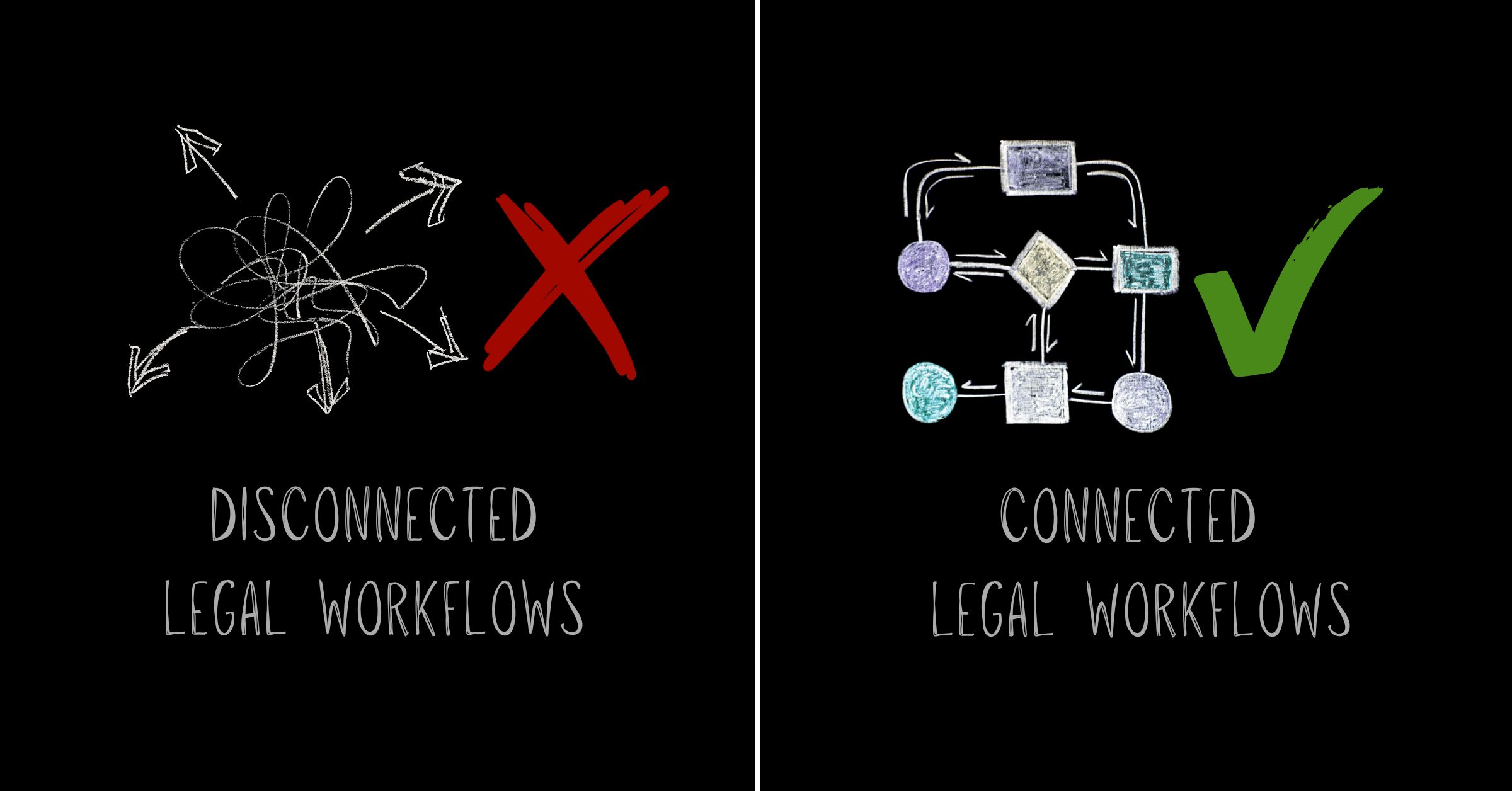
Spreadsheets break. Emails get buried. Approvals stall. For most Legal teams, these aren’t occasional problems, they’re the daily reality of working with disconnected legal workflows.
Legal departments manage more complexity than ever: outside counsel billing, contract lifecycles, matter tracking, vendor performance and compliance oversight. Yet many rely on fragmented tools that force teams to manually bridge gaps between intake, execution and reporting. The result isn’t just inefficiency. It’s operational friction that compounds over time, creating blind spots in spending, duplicated effort and missed opportunities to demonstrate value.
Disconnected legal workflows don’t just slow teams down. They undermine the strategic role Legal departments are expected to play.
When systems don’t talk, people fill the gaps
Manual work shows up everywhere when legal workflows operate in silos. Invoice data lives in one system. Matter details sit in spreadsheets. Contract approvals happen over email. Vendor performance exists only in someone’s memory.
Teams spend hours copying information between platforms, reconciling inconsistencies and chasing updates that should be automatic. Requests enter through intake, but the context doesn’t carry forward. Budget details require re-entry when opening a matter. Spend data demands manual exports to align with finance reports.
Industry benchmarks show Legal departments using disconnected tools waste 12-18% of their time on administrative rework. Skilled professionals do work that modern legal operations software should handle automatically.
Every handoff becomes a risk point without integration. Details get missed. Priorities shift without visibility. Manual intervention replaces status updates that should flow naturally through the workflow.
What are disconnected legal workflows?
Disconnected legal workflows occur when legal teams use separate systems for intake, matter management, spend tracking, contract management and reporting, forcing manual data transfer between each stage. This fragmentation prevents information from flowing automatically, creating gaps in visibility and requiring constant human intervention.
Visibility gaps create control problems
Real-time visibility becomes nearly impossible with disconnected workflows. When matter data, spend tracking and contract status live in separate systems, Legal leaders can’t answer basic questions without significant effort.
Which matters are trending over budget? What’s the current approval status across active contracts? How are vendors performing against billing guidelines? These questions should have instant answers. Manual reporting cycles deliver outdated information instead.
Teams lose the ability to spot trends early without connected workflows. Cost overruns surface after damage occurs. Compliance gaps appear during audits instead of automated checks preventing them.
How do disconnected legal workflows affect legal operations?
Disconnected legal workflows force legal operations teams into reactive modes, spending valuable time on manual coordination instead of strategic planning. Billing data doesn’t connect to matter budgets, so invoice approvals slow down. Approval status remains invisible across departments, extending contract cycles. Performance metrics aren’t tracked in a unified system, turning vendor decisions into guesswork.
Fragmentation drives inconsistency
Manual processes breed variability. Enforcement becomes selective when billing guidelines aren’t embedded in review systems. Some invoices face scrutiny while others slip through. Over time, outside counsel learns which rules actually matter and which ones don’t.
Approval workflows suffer the same fate. Email-based routing means requests get handled differently depending on who’s available and what’s in their inbox. No standard path exists. No predictable timeline emerges. No reliable audit trail forms.
Inconsistency plagues matter management when teams track work across disconnected tools. One attorney uses a spreadsheet. Another relies on email folders. A third keeps notes in a document management system. Institutional knowledge disappears when someone leaves or workload shifts.
This fragmentation doesn’t just create inefficiency. It introduces risk. Missed deadlines, overlooked obligations and non-standard terms slip through because no single system provides comprehensive oversight.
Why do disconnected legal workflows persist?
Legacy systems built for single functions weren’t designed to work together. Many legal departments inherited point solutions purchased at different times by different stakeholders, each solving one problem but creating integration challenges. Technical debt, limited IT resources and fear of disruption keep teams locked into manual workarounds.
Data silos limit strategic impact
Legal departments face growing expectations to operate like other business functions: with clear metrics, predictable outcomes and evidence-based decision-making. Disconnected workflows make this nearly impossible.
Legal teams can’t analyze cost drivers by practice area, vendor or matter type when spend data lives separately from matter information. Reporting on cycle times requires manual reconstruction when contract metadata doesn’t connect to approval workflows.
Finance asks questions Legal can’t answer without days of data gathering. Leadership requests forecasts that require guesswork because historical patterns aren’t accessible. Business partners lose confidence because Legal can’t demonstrate the value being delivered.
Modern legal management software addresses this by creating a single source of truth. Matter details, spend tracking, vendor performance and contract status flow into one connected environment. Updates happen automatically. Reports reflect real-time data.
Integration eliminates redundant work
Copying data between systems ranks among the most expensive invisible tasks in legal operations. Every re-entry introduces error risk. Every manual update takes time away from strategic work.
Connected legal workflows solve this through integration. Information entered during intake flows directly into matter records. Invoice data syncs automatically with spend tracking. Contract approvals update status across all relevant dashboards without human intervention.
This approach does more than save time. It builds confidence in the data. When systems integrate, teams know that budget figures, matter status and vendor performance metrics are accurate because they come from the same operational record.
Collaboration with other departments improves through integration. Finance sees the same spend data Legal uses. Procurement accesses the same vendor insights. Compliance reviews the same contract terms.
How can legal teams fix disconnected legal workflows?
Fixing disconnected legal workflows requires unified legal operations software that connects intake, matter management, spend tracking and contract management in one platform. Teams should start by identifying where manual handoffs create the most friction, then prioritize integration points that deliver immediate visibility improvements.
Automation turns workflows into assets
Disconnected systems can’t support automation, so manual legal tasks persist. Invoice review stays manual when billing guidelines live in a document instead of being embedded in the approval process. Matter tracking stays manual when updates don’t trigger automatically based on workflow status.
AI-native legal operations platforms treat workflows as configurable assets. Billing rules become enforceable logic that flags violations before approval. Matter milestones become triggers that update status, notify stakeholders and generate reports without manual intervention.
According to Onit’s AI Center of Excellence research, AI-powered contract review using Large Language Models (LLMs) can complete tasks 70x faster than manual methods. But that speed only matters when the workflow connects. Manual handoffs erase efficiency gains if contract data doesn’t flow into matter records or spend tracking.
Exception-based review becomes possible through automation. Teams focus on flagged items that violate guidelines instead of checking every invoice line by line. Teams respond to alerts about delays or budget variances instead of tracking every matter update manually.
The strategic case for connected workflows
Legal departments can’t prove value when their operations remain invisible. Disconnected workflows keep legal work hidden from the metrics that matter to the business.
Connected legal workflows generate operational intelligence as a byproduct of daily work. Every invoice processed reveals spend patterns. Every matter tracked shows resource allocation. Every contract executed provides cycle time data.
This visibility transforms how Legal departments engage with leadership. Teams present data-backed analysis instead of defending budgets with anecdotal evidence. They offer predictive insights instead of reactive explanations about overspend. And teams show objective metrics about capacity and efficiency instead of justifying headcount requests through workload claims.
The shift from disconnected tools to unified legal operations isn’t just a technology upgrade. It’s a strategic repositioning of Legal as a data-driven business partner.
Making the move from chaos to clarity
Disconnected workflows don’t fix themselves. They worsen as Legal departments take on more complexity, adopt more tools and face higher expectations from the business.
Understanding where disconnection creates the most friction starts the move to connected legal workflows. Does it occur between intake and matter management? Between spend tracking and vendor oversight? Between contract execution and compliance reporting? Identifying the highest-cost gaps helps prioritize where integration delivers immediate value.
Modern legal operations platforms eliminate these gaps by design. They connect intake to execution, matters to spend, contracts to compliance and operations to insight, all within a single environment designed for how Legal teams actually work.
Legal teams don’t need more tools. They need their tools to work together.
Legal matter management is a phrase you hear constantly in our industry. So what is it? It’s the workflow lawyers want to optimize and the primary challenge legal tech vendors strive to solve. However, its scope is so broad that the definition often gets lost in translation.
To clear up the confusion, we are breaking down exactly what legal matter management means today and how technology, specifically AI and automation, plays a pivotal role in its evolution.
The Core Components of a Legal Matter
While matter management often refers to software, the discipline itself existed long before digital tools. At its core, matter management is the process of managing a corporate legal practice’s projects. To do this effectively, you must coordinate several moving parts.
Here are the essential elements that require efficient coordination:
Documents: Legal work is document-intensive. From contracts and licenses to email threads, you need a centralized, secure repository to store and manage every file.
Knowledge: Your team is smart, but they shouldn’t have to rely solely on memory. Accessing accurate, historical institutional knowledge when needed is a critical component of successful management.
Collaboration: Law is a team sport. Matters involve stakeholders within the legal department, the wider business, and external counsel. Efficient management requires seamless communication and integration between all parties.
Workflow: While every matter has nuances, most follow a formulaic sequence of phases. Standardizing these workflows is key to efficiency.
Project Management: Matters are projects. They require scoping, budgeting, resourcing, risk tracking, and status reporting to ensure delivery on time.
Spend: Tracking spend against budget is vital, especially when outside counsel is involved. You must monitor work-in-progress (WIP), accruals, and potential budget risks.
Reporting: You cannot manage what you cannot measure. You need easily reportable data on status, risk, resourcing, and spend to make informed strategic decisions.
Matter-Level vs. Portfolio-Level Management
When most people discuss matter management, they focus on the micro level: managing a single case. This view is necessary for the attorneys and paralegals working the file who need visibility into specific documents and deadlines.
However, legal departments handle hundreds or thousands of ongoing matters simultaneously. This requires management at the macro (portfolio) level. General Counsel, CLOs, and legal operations leaders need high-level visibility, reporting, and data-driven insights across the entire legal landscape. True matter management must address both the individual project and the broader portfolio.
The Evolution of Digital Matter Management
Digital matter management (DMM) is the application of technology to support these processes. In the past, this might have meant using Excel spreadsheets and shared drives. Today, that approach creates data silos and inefficiencies.
Modern legal departments are moving away from disjointed point solutions and toward centralized, AI-native platforms. These platforms optimize the full matter lifecycle from intake to resolution in one system. By consolidating your tech stack, you eliminate integration headaches and gain a single source of truth for your data.
The Role of AI in Legal Matter Management
Artificial intelligence is reshaping how legal departments manage matters from start to finish. AI-driven solutions automate repetitive administrative tasks such as document review, data entry, and invoice validation. This allows legal professionals to focus on higher-value work. Predictive analytics helps identify risks and forecast case outcomes, enabling teams to make smarter, data-driven decisions early in the process.
For example, AI algorithms can analyze previous cases to suggest likely resolution timelines or flag unusual spending patterns for further review. Intelligent search and contract analysis tools allow lawyers to quickly find relevant information, improving their ability to respond to requests and meet deadlines. By integrating AI in legal matter management platforms, legal teams gain greater efficiency, accuracy, and strategic insight, giving them a distinct edge in today’s business landscape.
Why Prioritize Legal Matter Management Now?
Optimizing matter management is no longer optional; it is a competitive necessity. Legal departments are undergoing a rapid digital transformation driven by several urgent factors:
The need for efficiency: You are under pressure to do more with less, requiring tools that automate low-value tasks and boost productivity.
Cost control: Legal teams must demonstrate they are net contributors to the business, not just cost centers. This requires strict vendor management and spend visibility.
Remote work: Distributed teams need cloud-based tools to access workflows and know-how from anywhere.
Regulatory complexity: Growing global regulations increase workloads, demanding better risk management and compliance tracking.
Data-driven strategy: There is a rising need to improve internal customer engagement and use data to drive vendor selection.
Implementing a robust matter management platform alleviates these pressures, empowering your team to deliver measurable value to the enterprise.
Effective legal matter management helps your team cut chaos, boost efficiency, and deliver stronger results. Master these seven essentials to spend less time on busywork and more time practicing law while building trust and reliability.
When you manage legal matters effectively, your team stays focused, roles are clear, and surprises are rare. You find what you need when you need it, without frantic searches or missed details.
Your legal matters rarely go as planned. The good news is, when you adopt effective legal matter management, you take control. Last-minute surprises fade, your team knows what to do next, and you become the trusted go-to when it counts.
Why is legal matter management important?
Effective legal matter management helps your team move faster, stay organized, and solve problems with less stress. With the right systems in place, you save time, make better decisions, and become the go-to person when issues arise.
1. Clear communication and collaboration
When communication is clear and direct, your team moves faster and fewer mistakes happen. Set expectations early and keep everyone in the loop so projects run smoothly and stress stays low.
Breakdowns in communication kill productivity and morale. According to Gallup’s 2025 State of the Global Workplace report, poor communication drains productivity fast. Keep your team informed and share updates regularly so projects and people keep moving.
Strong communication keeps projects on track and teams aligned. Share updates often to avoid delays and confusion. When everyone is in the loop, you build trust and deliver results without surprises.
Tips to get started
Use centralized communication channels. Whether you use discussion forums, messaging platforms, or a combination, ensure everyone knows where to go to join the conversation.
2. Centralized document storage and management
If you’re tired of wasting time tracking down files, you’re not alone. The 2025 ABA Legal Industry Report found just over half of law firms use cloud storage, so many teams still scramble for documents. Organize your files in one place to save hours, lower stress, and always be prepared.
Stop wasting time searching for files. Organize documents in one secure, accessible place to make it easy for your team to quickly find what they need and stay focused.
If you’re still using email to find files, it’s time for a change. A centralized hub makes documents easy to find, saves time, and keeps your team organized. Store everything in one place so you can focus on work, not searching.
Tips to get started
Verify that docs are accessible and secure. Use access controls to ensure cloud-based documents are shared safely with the right people, not just anyone with a link.
Keep your system searchable. Filter files by name or matter to prevent a marathon scrolling session every time you need to find something.
Prioritize scalability. Make sure your storage capacity meets your needs and can be adjusted as your requirements change.
Follow a single document-sharing process. Your file-sharing process should include version history for all documents and allow you to restrict access.
3. Standardized workflow management
If you’re buried in spreadsheets and manual updates, it’s time for a better workflow. Standardize and automate processes to fix bottlenecks fast and focus on real legal work. A streamlined approach helps your team work smarter and keeps days running smoothly.
Automate and standardize your workflows so everyone knows the next step, work is clearly divided, and you can focus on higher-value tasks. A consistent process means fewer mistakes and improved productivity for your team.
Tips to get started
Automate repetitive work. Whenever possible, automate sequential processes, like sending invoices upon matter completion, to keep your work consistent and efficient.
4. Streamlined task management
Endless emails and scattered spreadsheets cause mistakes and missed deadlines. A smarter task management system keeps you organized, ensures nothing is overlooked, and keeps projects on track.
Too many tasks and no plan? Details get missed. Set a clear, simple system everyone can follow so nothing slips through. A strong task management approach keeps you on track and deadlines met.
Want your to-do list under control? Use smart task management. Break tasks into clear steps, track progress with the right tools, and spend less time chasing details. You’ll have less stress and fewer mistakes, so you can focus on the work that matters.
Tips to get started
Rely on how-to templates. Create templates by matter type that break legal matters down into a predictable series of steps.
Use an assignment dashboard. Keep task assignments in one centralized location where everyone can view who’s working on what.
Automate basic tasks. When possible, use automation to streamline everyday matter tasks, like creating due dates, sending reminders, and monitoring deadlines.
5. Enhanced data insights for efficient legal matter management
To lead with confidence, you need clear, actionable data… not guesswork. The 2025 ACC CLO Survey found most legal leaders now rely on tech and data for better decisions. When you track results and adjust as needed, your data helps you stay in control.
With the right data, you know exactly where resources go, what’s working, and what to adjust. Clear insights help you lead with confidence and deliver measurable results.
When reports show costs rising, use that data to adjust your budget and fix issues before they turn into problems. Let data drive your decisions and help you avoid financial surprises.
Tips to get started
Objectively track performance. Track metrics like recorded hours by matter, matter spends, and top timekeepers to discover where your team is efficient and where matters need improvement.
Budget efficiently. Create projections based on previous matters to effectively allocate resources.
Create reusable reports. Save go-to reports for any area of legal matter management to make effective choices in real time.
6. Robust risk management and compliance
Simple mistakes, like sending the wrong file or missing an access update, can cause compliance issues. The 2025 Verizon Data Breach Investigations Report shows most data breaches come from human error. Stay alert and check permissions to keep your team secure and your data safe.
Work with IT early to set permissions, update systems, and track privacy rules. This way, you can focus on your work, stay compliant, and keep data secure.
Tips to get started
Audit your risk management and compliance. Work with your IT department to identify your biggest areas of risk and act accordingly.
Stay updated on current laws. Regularly check data privacy laws and provide necessary training when you onboard new team members.
Know the basics. Understand where your data is stored, who has access, if it’s encrypted, and how roles and permissions are set.
7. Detailed time and expense tracking
Manual time and expense tracking wastes hours and causes mistakes. The right tools keep your records accurate, prevent billing errors, and help you stay organized with less chaos and more control.
Accurate time and expense tracking helps you avoid errors, spot issues early, and make better decisions. With a reliable system, you know where every dollar and hour goes, can prove your team’s value, and keep surprises to a minimum.
Tips to get started
Catch potential spend issues early. Track legal spends and monitor potential problems with detailed spend management reports.
Leverage historical data. Use information from previous matters to improve decision-making and budgeting for future matters.
Get team alignment on accruals. Keep your teams in the loop on accrual calculation and submission procedures.
See the real ROI of effective legal matter management
Want to see the measurable impact of better legal matter management? Try our ROI calculator to track efficiency gains, control budgets, and reduce risk so your team can stay focused on what matters most.
Legal matter management software gives legal ops a central hub to track every matter, budget, document, and vendor decision in one place. It replaces spreadsheets and manual updates with real-time visibility, helping teams control spend, reduce risk, and forecast with confidence.
Project management has become one of the most strategic responsibilities for legal operations teams. Legal matters are often their largest, most complex projects — with countless moving parts, multiple vendors, and budget pressures that demand precise tracking and visibility.
Mastering matter management is now the foundation of effective legal operations and spend control. Legal departments that manage matters with data-driven tools save an average of 12–18% in legal spend, according to recent industry benchmarks. The ability to analyze matter data across firms, practice areas, and timekeepers transforms legal work from reactive to proactive — turning information into measurable ROI.
This guide covers the essentials of legal matter management in 2025 — and how modern legal management software helps teams centralize data, automate workflows, and make smarter financial decisions.
What is legal matter management?
Legal matter management is the process of organizing, tracking, and analyzing all matters handled by your legal department — both in-house and with outside counsel.
It’s more comprehensive than traditional case management, which focuses on individual cases and documents. Matter management encompasses all related data: budgets, timekeepers, invoices, risks, key contacts, and outcomes.
It provides a single operational view across all work, giving legal teams and finance shared visibility into cost, performance, and progress.
Creating legal matter records
Every matter begins with a structured record — a centralized place to track who’s involved, what’s being done, and how much it costs.
A standard matter record should include:
Matter title and ID
Date opened and current status
Practice area(s)
Budget and spend-to-date
Assigned counsel (in-house and external)
Support staff and invoice approvers
For litigation, add plaintiff/defendant details, jurisdiction, and judge information. For contracts, include counterparty, contract type, and risk level.
Accurate matter records enable smarter forecasting. By analyzing spend by matter type, practice area, or vendor, legal ops can set realistic budgets and prevent cost overruns.
To maintain control:
Use historical analytics to estimate future matter costs
Enforce outside counsel billing guidelines
Require timely invoice and accrual submissions
Standardize invoice formats and approval workflows
Well-structured budgets eliminate surprises and strengthen collaboration with finance. The more granular your matter data, the more confidently you can predict spend and allocate resources.
Tracking and updating legal matters
Keeping matter data current is critical for operational accuracy. It’s also important for creating effective reports for the GC. Updates should include:
New or revised documents
Received invoices and payments
Budget adjustments
Staffing changes
Upcoming deadlines or milestones
Real-time visibility ensures that reports and dashboards reflect the most recent information — especially for executive briefings or accrual forecasts.
Reporting on legal matters
Matter reporting gives leadership a clear view of department performance. With objective metrics — such as matter lifecycle time, spend by firm, or variance from budget — legal teams can identify cost drivers, improve vendor management, and demonstrate ROI.
These insights support stronger collaboration between legal, finance, and the C-suite. They help explain where money goes, justify budget requests, and provide transparency around outside counsel efficiency.
Three ways legal management software solves matter management challenges
Even well-organized legal teams encounter inefficiencies when managing hundreds of matters manually. Modern matter management software addresses these pain points with automation, integration, and analytics.
1. Centralizes data into a single source of truth
A digital platform consolidates all matter data — budgets, invoices, and communications — into one system. Legal and finance can access the same information instantly, improving collaboration and accuracy.
Integrations with tools like Power BI, Tableau, and document management systems further reduce manual work and eliminate data silos.
2. Reduces manual work through automation
Automation eliminates repetitive legal management tasks such as data entry, document tagging, and budget tracking. Features like matter templates, smart search, and OCR (optical character recognition) simplify workflows and make information instantly searchable.
This not only saves time but also improves job satisfaction — a critical factor as legal ops teams face increasing workloads with limited headcount.
3. Provides real-time insight into spend and performance
With up-to-date data feeding dashboards automatically, teams can spot cost overruns, track matter progress, and measure outside counsel performance. Instead of retroactive reporting, they can take proactive action — reallocating budgets, enforcing guidelines, or adjusting staffing based on live data.
End-to-end legal management platforms transform reporting from an administrative task into a strategic advantage.
Why effective matter management proves the value of legal ops
Strong matter management doesn’t just save time — it demonstrates legal’s impact on the business. By uniting people, process, and technology, legal operations can manage spend strategically, enforce compliance automatically, and surface insights that support executive decisions.
For more resources on optimizing your legal operations, request a demo of Onit’s legal matter management solution to see how modern legal departments are transforming matter management.