

Author: Onit

Modern Legal Ops Software vs. Legacy ELM: One Drives Legal Forward, the Other Holds You Back 

Modern Legal Ops Software vs. Legacy ELM: One Drives Legal Forward, the Other Holds You Back

Modern legal ops software isn’t just a nice-to-have. It’s the difference between keeping pace and falling behind. Legal teams today are buried under increasing demands to move faster, control spend, reduce risk, and deliver measurable value to the business. But too many are still stuck using outdated dinosaur systems that are molasses-slow and create more work than they solve.  

But the world has changed. And your software should too. 

The Evolution of Legal Ops Software 

Legal operations has matured into a critical function that supports everything from risk management to vendor oversight to spend optimization. What once required spreadsheets and emails is now managed through dedicated platforms. 

But not all platforms are created equal. Older tools often fall short in key areas: 

  • Limited connectivity across departments and enterprise systems 
  • Rigid workflows that cannot adapt to evolving legal processes 
  • Outdated interfaces that hinder adoption and user engagement 
  • Minimal automation and little embedded intelligence 
  • Siloed functionality due to years of bolt-on acquisitions 

For years, enterprise legal teams relied on traditional ELM tools. But those systems are showing their age, and Onit is changing the game.  

This shift has made the case for modern legal ops software stronger than ever. Additionally, as some mid-market platforms get absorbed into legacy stacks, their innovation slows, roadmaps stall, and legal teams are left waiting.  

If your software only documents legal work, it’s already behind. Forward-thinking teams demand more. They expect speed, clarity, and real impact. 
Whether you’re a three-person team or a global legal department, the right legal ops software grows with you and adapts to whatever comes next. 

Legacy ELM: Familiar Foundations, But Growing Friction 

We’ll be honest, legacy legal ops software had its moment. It brought order to chaos when spreadsheets ruled legal ops. But those wins? They’ve become friction. The platforms are rigid and outdated. And dressed-up design doesn’t fix what’s broken underneath. 

Most legacy legal ops tools were never designed for AI, automation, or real-time data. They create silos instead of streamlining collaboration. 

The interfaces are antiquated and clunky. Instead of helping teams move faster, these platforms slow everything down. 

And as demands on legal teams grow, that friction only increases. If your team is spending more time managing the system than getting work done, then it’s not a platform, it’s a problem.  

AI-powered solutions for legal ops exist for a reason. They’re built to replace all of this. 

How Legacy Systems Stall Legal Operations 

Legacy legal ops systems were built to bring order to legal work, but today they often create bottlenecks that slow progress. Whether it’s processing invoices, pulling reports, or updating workflows, tasks that should take minutes often take days (or weeks!). 

Here’s how legacy systems typically hold teams back: 

  • Data is fragmented. Teams must dig through disconnected systems to get a full picture of legal spend or matter status 
  • Workflows are rigid. Making process changes requires technical resources, vendor support, or both 
  • Reporting is slow and disconnected. Teams still export spreadsheets and cobble together outdated views instead of acting on live data. 
  • Collaboration is difficult. Finance, procurement, and legal often work in silos, leading to misalignment and duplicated effort 

An AI-powered legal ops solution eliminates these issues by unifying data, streamlining collaboration, and making critical processes faster and easier to manage. It removes friction from day-to-day operations so legal teams can focus on delivering business value, not managing tools. 

Modern Legal Ops Software: Built for Today’s Teams 

Modern legal ops software isn’t just easier to use. It’s built to help legal teams lead. No more clunky interfaces, no more waiting on IT, and no more systems that slow you down when everything around you is speeding up. 

The best platforms feel intuitive from day one. They don’t just digitize your workflow. They improve it. AI handles the busywork like invoice review and guideline compliance so your team can stay focused on higher-impact work. Updates are fast. Reporting is real time. The software fits how your team works, not the other way around. 

And when it’s time to scale, you won’t outgrow it. Whether you’re a three-person team or a global legal department, the right legal ops software grows with you and adapts to whatever comes next. 

This goes beyond better software. It’s a better way to run legal. 

Image representing a legal team considering modern legal ops software

What Legal Teams Need Today

Companies now hold legal teams to the same standards as departments like finance and sales, but legal often lacks the automation, analytics, and infrastructure to keep up.

AI-native legal software changes that. It transforms legal from a reactive cost center into a proactive business driver.  

Here’s what legal teams can (and should) expect when they make the switch: 

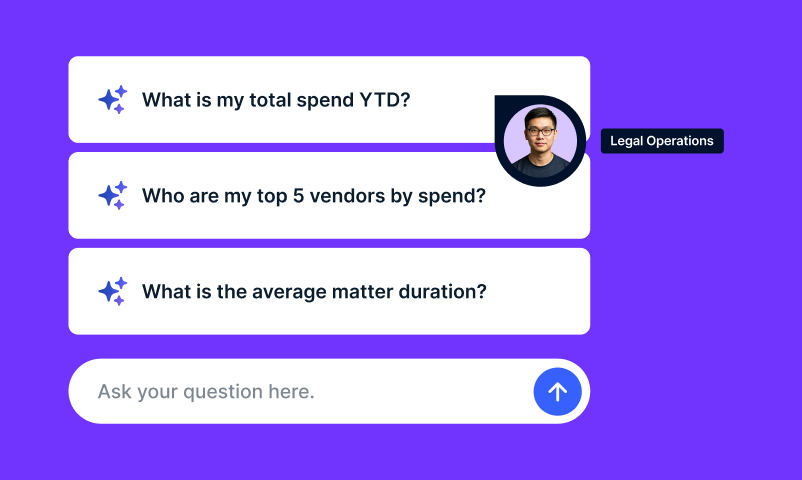
  • Answers in seconds, not hours. Built-in AI surfaces key insights instantly without digging through spreadsheets or waiting on IT 
  • Smart workflows that reduce manual effort. Configurable logic automates routing, triage, and task assignments
  • Invoice review that enforces your policies. AI catches billing violations before they hit your team, removing manual review queues and human error 
  • A platform that gets smarter over time. AI continuously analyzes how your team works and fine-tunes processes for greater speed and efficiency. 
  • Scales with intelligence, not added headcount. AI-native solutions grow with your team by automating what legacy tools outsource, without inflated service costs or slow timelines 

This is not traditional automation dressed up with buzzwords. Legal ops software designed from the ground up ultimately deliver speeds, accuracy, and strategic impact. And that’s what legal teams want and need.

Legacy ELM vs. Today’s Legal Ops Tech Choice 

Legacy ELM Smarter Legal Tech 
Outdated user interfaces that slow teams down Clean, intuitive design that legal teams actually use 
Long, complex implementation timelines Quick deployment with minimal lift from IT 
Disconnected tools that don’t speak to each other A simplified experience for managing spend, matters, contracts, and vendors 
Basic automation that still requires manual cleanup AI-powered automation that handles the heavy lifting 
Configuration changes that depend on IT or consultants Easily configurable workflows with no code required 
Unclear or stagnant product roadmaps Transparent, customer-informed product development 

Making the Case for Change 

Switching from a legacy tool to modern legal ops software is a strategic decision. Many teams hesitate due to long-standing contracts or internal dependencies. But increasingly, the costs of standing still — inefficiency, missed insights, and user frustration — outweigh the challenges of change. The longer teams delay, the more money slips through the cracks. 

Legal teams are choosing to move forward for a reason. They want to operate as strategic partners to the business. They need data to drive faster, smarter decisions. They’re done with bottlenecks and overhead. And they want tools that actually scale with them, not against them. 

Next-generation legal operations tools are not just replacements. They’re accelerators. 

A laptop with a sprout, representing growth and change for legal teams

Implementing Scalable Legal Tech Solutions Without the Headaches 

Modern legal ops software is designed for quick, low-stress implementation. Cloud-based delivery removes installation barriers, and configuration happens through intuitive tools rather than complex code. 

Legal teams can customize workflows to match their processes without relying on IT. Onboarding is guided and streamlined, helping teams see value faster. 

With clean interfaces and simplified workflows, adoption feels natural. The transition is not disruptive. It’s a faster path to better operations. 

The Bottom Line on Legal Ops Software

It’s true: Legacy systems helped legal departments digitize. But modern legal ops software helps them optimize. 

This shift is not about chasing trends. But it is about enabling your team to do its best work with tools that meet you where you are and grow with you.  

If your platform is slowing you down, it’s time to consider one designed for the pace and precision your legal team needs.  

Book a demo to see how Onit empowers legal teams with AI-native software, so you can stop settling and start scaling on your terms. 

Want a quick gut check on where your legal ops stack stands? Download our Legal Ops Checklist to find out if your tech is keeping up or holding you back.


Agentic AI in Legal Operations: What It Is and Why It Matters 

Agentic AI in Legal Operations: What It Is and Why It Matters

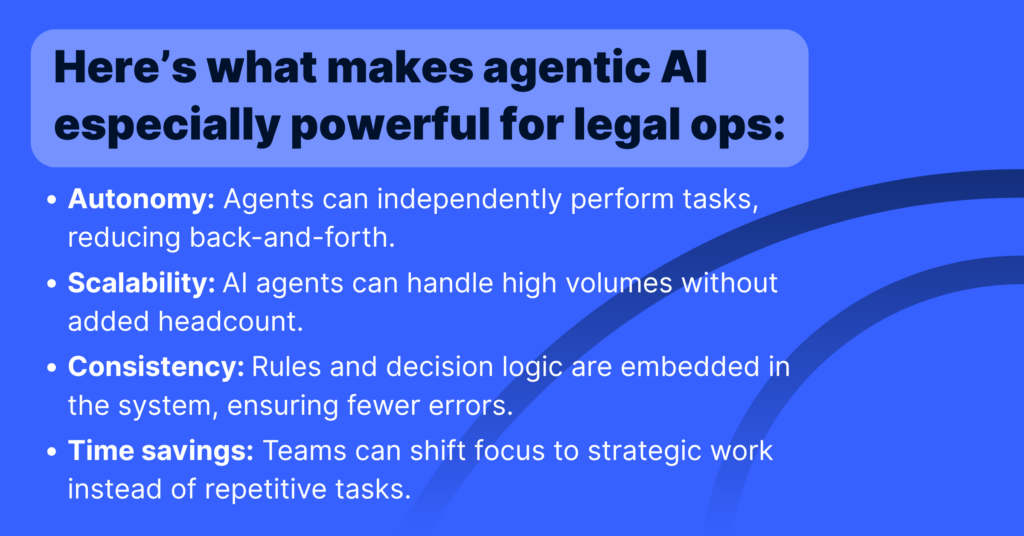
The legal tech world has no shortage of buzzwords, but every once in a while, one sticks for good reason. Agentic AI is one of them. Agentic AI in legal operations is stepping into the spotlight as legal departments continue to look for ways to streamline operations, manage risk, and do more with less. Unlike traditional AI tools that wait for instructions, agentic AI can make decisions, take action, and complete complex legal workflows autonomously. 

Let’s break down what agentic AI is, how it works, and why it’s becoming an essential part of legal operations strategy

What Is Agentic AI? 

Agentic AI refers to a new class of AI tools designed to plan, execute, and adapt multi-step tasks on their own, with minimal human input. These “AI agents” don’t just answer prompts — they take goals and run with them. 

For example, instead of asking an AI to redline a single clause, a legal operations team could give an agentic AI a broader task: review this contract, identify risky clauses, suggest edits, and generate a final version based on company policy. And it would do it — autonomously. 

The key difference between agentic AI and standard generative AI is agency: the ability to make decisions, use tools, and iterate toward a goal. 

Representation of Agentic AI for legal ops, with person holding cell phone and using AI

How Agentic AI Powers Legal Workflow Automation 

In legal operations, time is money — and repetitive tasks are the bottlenecks. Agentic AI in legal operations can help automate end-to-end legal processes such as: 

  • Reviewing and redlining contracts based on predefined rules 
  • Extracting data from legal documents and routing it to the right systems 
  • Managing intake and triage for legal service requests 
  • Drafting reports, summaries, and status updates across departments 

By enabling AI agents to interact with tools (like databases, document editors, and workflows), Agentic AI in legal operations creates a smarter, self-sufficient layer of automation that reduces manual effort while increasing speed and consistency. 

How Does Agentic AI Work: A Brief Explanation

At its core, Agentic AI blends a powerful language model with access to tools, data, and logic, giving it the ability to not just respond but act.  
 
Think of it this way: traditional AI tools wait for you to tell them what to do, step-by-step. Agentic AI starts with a goal and figures out how to get there. It doesn’t just generate an answer, it drafts the document, finds the data, reviews the terms, and refines the output until the task is done.  
 
These tools are often built by connecting a language model with software tools, business rules, and datasets the designated agent can access and use. Depending on the complexity of the workflow, this setup can be customized to suit specific tasks — whether that’s redlining contracts, generating reports, or routing approvals.  

Benefits of Legal AI Automation for In-House Teams and Law Firms 

Some teams opt for pre-configured setups with broader capabilities, while others tailor their systems for more focused use cases.  

The choice comes down to speed vs. precision — some teams need flexibility, while others prioritize control and simplicity. 

Benefits of Agentic AI in legal ops

The result? Faster legal service delivery, better alignment with business goals, and a more modern, resilient legal ops function. That’s exactly the kind of impact Agentic AI in legal operations is designed to deliver. 

What to Know Before Implementing Agentic AI in Legal Operations 

Of course, agentic AI isn’t magic. There are tradeoffs: 

  • Cost and complexity: Building agentic systems — especially at enterprise scale — can require time, money, and technical expertise. 
  • Testing and trust: Because agentic systems can produce a range of outputs, validating their performance and accuracy takes careful design. 
  • Overengineering risk: Sometimes a simple rule-based automation is enough. Not every task requires a multi-agent system. 

The key is finding use cases where autonomy pays off and implementing right-sized solutions. 

Why Agentic AI Is the Future of Legal Tech 

The shift toward agentic AI reflects a broader movement in legal operations: from reactive support to proactive enablement. Legal teams are no longer just processing work — they’re driving innovation, shaping policy, and delivering business value. 

The future is PEOPLE PLUS AI. We're going to be completing tasks 25% faster and to a higher quality. - Jean Yang, VP of AI Transformation

Agentic AI isn’t just another tool in the tech stack. It’s a teammate.  

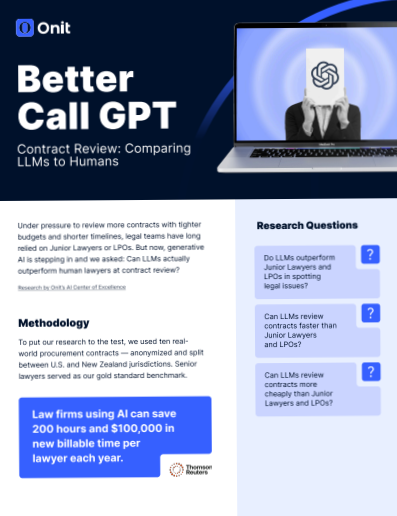
And in some cases, it’s doing the work 70x to 270x faster. In our recent Better Call GPT research from the Onit AI Center of Excellence, we found that AI-powered contract review using Large Language Models (LLMs) can dramatically outperform human reviewers. This isn’t just about speed — it’s about freeing legal teams to shift their focus from manual review to high-impact strategic work. When AI agents handle the grunt work, legal becomes a driver of business velocity.

How Onit Is Supporting Legal AI Automation 

At Onit, we’re focused on helping legal teams evolve through automation, innovation, and intelligence. Whether you’re exploring your first AI use case or scaling your legal ops ecosystem, our platform is built to support modern workflows — including emerging agentic AI capabilities. 

Want to see how legal AI automation can transform your team’s impact?

Explore our solutions to discover how Onit is helping legal departments streamline workflows, accelerate service delivery, and embrace the future of legal tech with confidence.

Ready to Take the Next Step?

If your team is ready to move from experimentation to execution — and you want a smarter, faster way to operate — we’re here to help. Book a demo and see agentic AI in action.

Better Call GPT: Can AI Contract Review Outlaw the Traditional Legal Reviewer?

Better Call GPT: Can AI Contract Review Outlaw the Traditional Legal Reviewer?

Legal departments are under more pressure than ever to do more with less — more contracts, tighter budgets, shorter timelines. For years, contract review tasks were handed off to junior lawyers or sent to legal process outsourcing providers (LPOs). But today, AI contract review using Large Language Models (LLMs) is emerging as a game-changer.

At Onit’s AI Center of Excellence, we set out to answer a bold question: Can Large Language Models (LLMs) outperform human lawyers in reviewing legal contracts? The results aren’t just compelling — they signal a shift that’s already underway.

Here we outline major takeaways from the full research paper conducted by the AI Center of Excellence, available here.

AI Contract Review: LLMs vs. Lawyers – Who Wins?

What are LLMS?
An LLM, or Large Language Model, is an AI system trained on massive amounts of text data to understand, generate, and reason with human language.

To find out how LLMs stack up against Junior Lawyers and LPOs, we benchmarked performance on three fronts: accuracy, speed, and cost. We used real-world procurement contracts and measured every review against the gold standard — senior lawyers’ assessments.

AI Contract Review

Here’s what we found:

1. AI Isn’t Just Matching Humans — It’s Elevating Them

LLMs like GPT-4 are now performing contract reviews with a level of precision that rivals professional legal service providers — and in many cases, they’re outperforming junior lawyers.

They’re not just keeping up, they’re raising the bar. While seasoned professionals still have an edge in pinpointing where issues appear, AI is closing that gap fast and already exceeding the capabilities of many junior team members.

Takeaway: This isn’t about humans being replaced. It’s about giving legal teams the superpowers they need to move faster, think bigger, and focus on what matters most. When AI handles the tedious, humans can lead with insight, creativity, and strategy.

2. AI is 70x–270x Faster

Speed is where LLMs leave human reviewers in the dust. While a junior lawyer may take nearly an hour to review a contract, LLMs clock in at just a couple of minutes or less.

  • Junior Lawyers: ~56 mins

  • LPOs: 201 mins

  • GPT-4 1106: 4.7 mins

  • Claude 2.0: 1.63 mins

  • Palm2: under 1 minute

Even with setup and prompt engineering time factored in (averaging about 16 hours), LLMs still provide massive long-term efficiency gains.

Takeaway: LLMs aren’t here to compete with humans — they’re here to boost our capacity. By offloading repetitive work, they help legal teams move faster, take on more, and focus on the strategic work that really matters.

3. AI is 99.97% Cheaper

Cost savings were just as dramatic. A junior lawyer averages around $74 per contract, while top LLMs do the same job for $0.02–$0.25.

ReviewerAvg. Cost Per Contract
Junior Lawyer$74.26
LPO$36.85
GPT-4 1106$0.25
Claude 2.1$0.02
Palm2$0.03

Takeaway: LLMs don’t just save time. They shift how we invest in human talent. Instead of spending hours on repetitive reviews, junior lawyers can focus on higher-value work that demands judgment, creativity, and critical thinking. It’s not about hiring less. It’s about empowering your team to do more meaningful work.

What This Means for Legal Teams

If you’re managing a high-volume legal workload — procurement, compliance, risk — you already know the pain points: too many documents, too few hands. LLMs are ready to fill that gap. They’re fast, cost-effective, and increasingly accurate.

In fact, our research findings suggest LLMs are already strong enough to disrupt the traditional LPO model. And while junior lawyers won’t be replaced anytime soon, we see their roles evolving — moving from routine tasks to higher-value, strategic work.

The Future of Legal Work is AI-Native: Are You Ready?

This research confirms what forward-thinking legal leaders already sense: the future of contract review isn’t just powered by AI — it’s AI-native. Success will belong to those who rethink processes from the ground up with AI at the core, not as an add-on.

This isn’t about replacing humans. AI is redefining how legal work gets done. Whether you’re exploring LLMs to speed up contract review or scale your legal operations, the opportunity is clear.

Early adopters will unlock efficiency, reduce costs, and gain a competitive edge. Those who wait? Risk being left behind.


Just Getting Started? Download our Better Call GPT one pager for a quick snapshot of the research — perfect for sharing or bringing to your next team sync.

Ready to Go Deeper? Unlock the full research insights, benchmarks, and legal impact analysis in our comprehensive whitepaper — available for download.

How to Select the Right Government Legal Case Management System: Part Two

The federal government currently employs nearly 35,640 attorneys, making the need for efficiency and effectiveness in public administration more critical than ever. According to a recent Government Law Agency Survey, 47 percent of respondents identified a major challenge: spending too much time on administrative tasks and not enough time practicing law.

This is where legal case management software is making a difference. By consolidating all essential legal data in one place, government legal professionals can more easily meet deadlines, stay compliant with regulations, and achieve more in less time.

However, with so many technology options available, choosing the right software can be a challenge. In this post, we’ll dive deeper into a few more important features to consider when selecting legal case management software for your department.

How to Select the Right Government Legal Case Management Software

In government legal administration, the need for efficiency and effectiveness has never been higher. In a recent Government Law Agency Survey, 47 percent of respondents cited a major challenge facing their department: spending too much time on administrative tasks and not enough time practicing law.

Legal case management software is transforming how government legal professionals work. By consolidating all essential legal data into one secure, centralized system, legal teams can more easily meet deadlines, comply with regulations and accomplish more in less time.

But with so many legal software options available, it can be difficult to know which solution is the right fit. In our previous blog post, we discussed three essential features to look for in a government case management software system. In this post, we’ll continue the conversation by exploring two more critical features and how they can help your department boost efficiency and performance.


Three Must-Have Features in Legal Case Management Software

1. Easy-to-Use Interface
An intuitive user interface is essential. A system that’s hard to use will likely be ignored or underutilized. A clean, user-friendly UI encourages adoption and ensures your team can quickly access the information they need.

2. Collaboration Tools
Modern legal software makes it easier to collaborate across departments. With everything stored in one place, there’s no more guessing who’s responsible for what or where documents are located. Team members can work together effectively—no matter where they’re located.

3. Legal Service Request Management
A strong system enables you to automate and streamline legal service requests. Requests are routed to the correct team members instantly, reducing bottlenecks and ensuring that all relevant information is included up front.


Two More Critical Features to Consider in Legal Software
Let’s take a look at two more powerful features that can significantly impact how your legal team manages cases and achieves its goals.


4. Dashboards: Turn Your Data into Action
Dashboards offer a centralized, visual view of your organization’s caseload and operations. They make it easier to track progress, meet deadlines and manage priorities.

Key Dashboard Capabilities:

Case Management

  • Case Status Updates: Monitor progress, deadlines and critical dates in real time.
  • Document Management: Access and version-control key legal documents.
  • Timeline of Events: Visualize filings, calendar events and communication logs.

Reporting & Analytics

  • Performance Metrics: See billing trends, attorney productivity and case profitability.
  • Workload Tracking: Identify where resources are overextended or underutilized.
  • Customizable Reports: Tailor insights to your department’s specific needs.

Collaboration & Communication

  • Team Access: Share up-to-date information across departments.
  • Communication Tools: Leverage internal messaging, client portals and secure communications.

Task Management

  • Deadline Tracking: Never miss an important date again.
  • Task Assignment: Assign tasks and track completion within the system.
  • Reminders: Receive alerts for upcoming tasks and milestones.

Dashboards help you tell the story behind your data, enabling smarter decisions and clearer visibility into performance metrics.

5. Reporting: Insight That Drives Results

With legal case management software, reporting becomes faster, more accurate and more actionable. You can track trends, evaluate performance and make informed decisions based on real-time data.

Types of Reports You Can Generate:

Caseload & Workload Reports

  • Caseload: See how many cases are active, opened or closed within a time frame.
  • Workload: Evaluate assignments and deadlines across teams or individuals.

Performance & Efficiency Reports

  • Cycle Time: Measure how long key case stages take—from review to settlement.
  • Case Outcomes: Track the success of cases (won, lost, settled) and related costs.
  • Team Performance: Identify high performers and areas needing development.

Compliance & Risk Reports

  • Compliance: Monitor deadlines, procedures and regulatory benchmarks.
  • Risk Assessment: Spot potential risks in high-profile or sensitive cases.

Financial Reports

  • Billing & Invoicing: Review hours billed, expenses and client invoices.
  • Expense Tracking: Manage budgets by tracking expert fees and other costs.
  • Financial Summaries: Gain an overview of profitability and financial health.

These reports eliminate the need for tedious spreadsheets and provide high-impact, visual insights.


Why Legal Case Management Software Matters for Government Legal Teams
The benefits of using case management software in government agencies are extensive—more accurate data, advanced analytics and greater operational efficiency, just to name a few. With the right legal software in place, your legal professionals can spend less time on administrative burdens and more time practicing law.


Why Legal Files?
Legal Files serves as a comprehensive hub for government and public sector legal teams. It makes your information more accessible, reduces redundancy and streamlines collaboration across departments. Custom dashboards help guide your daily priorities, enabling your team to stay focused on serving constituents and meeting compliance deadlines.

With nearly 40 years of experience supporting federal, tribal, provincial, state, county and municipal agencies across the U.S. and Canada, Legal Files helps organizations do more with fewer resources—by as much as 40 percent. If you’re looking for a trusted, consultative partner in legal case management software, you’ve found one in Legal Files.

Legal Files has streamlined our process by centralizing all of the Department’s information, creating a high level of standardization. The consistent field names and naming conventions have made our work so much easier.

Ryan Saxby
City of Tucson, a Legal Files Customer 


Request a demo to learn more about how we help government organizations like yours manage what matters most. 

Top 5 Takeaways from CLOC 2025: AI Agents, Real Conversations & Legal Ops in Its Prime

CLOC 2025 was more than just another industry event. It was a reunion, a reality check, and a roadmap for where legal operations is heading. From agentic AI hype to real-world results, the energy was high, the demos were packed, and the conversations were refreshingly honest.

Here are five key takeaways that stood out from the Onit team and beyond.

1. AI Isn’t Just a Buzzword. It’s an Agent Now.

This year wasn’t about theoretical AI. It was about AI agents, intelligent, task-executing, purpose-built digital workers designed to streamline legal workflows in real time.

Everyone was talking about agentic design, native AI platforms, and how these new agents can do more than analyze—they can act. From invoice approvals to contract data extraction, the future of legal ops looks less like dashboards and more like delegation.

If your AI can’t do the work? It’s already behind. Onit is proud to be bringing its own suite of AI agents to market this summer. Stay tuned! 

2. Relationships Still Rule in the Age of AI

While automation dominated the tech talk, the human connection was just as powerful. Onit’s customer happy hour at Zuma and CAB brunch brought together clients, partners, and team members in all the right ways.

The best conversations didn’t just happen at the booth—they happened over sashimi and strong coffee. Legal ops is still, at its core, a relationship-driven business and it showed.

3. Onit’s CounselMatch Reveal Was a Crowd Magnet

On day one at the Exchange Stage, Onit unveiled CounselMatch, a powerful new solution developed in partnership with SharePoint Leopard Solutions. Think of it as a next-gen Rolodex for law firm intelligence.

CounselMatch gives legal teams instant access to a rich database of law firm data, enabling faster, smarter decisions when sourcing outside counsel. The reaction? Immediate interest.

📰 Read the full announcement here

4. Real AI in Action: Corteva’s ReviewAI Story

Forget the fluff. Corteva’s breakout session showed what happens when AI agents go from concept to execution.

Michele Compasso, Global Deployment & Analytics Leader of Legal Operations at Corteva, shared how her team tackled a mountain of legacy contracts using Onit’s AI-first ReviewAI.

“We had 4,000 contracts that needed to be input into our CLM system. A task like that would’ve taken a lawyer two to three hours per contract—and I don’t speak Portuguese and I’m not a lawyer,” said Compasso.

“Instead, we used digital workers to read, extract, and enter the necessary data. What would’ve been impossible manually was done in minutes per contract.”

The session ended with a two-and-a-half-minute demo video showing the full end-to-end process. The room was hooked and the follow-up conversations proved it.

5. Change Champions Are the Secret to Legal Ops Scale

One of the most insightful sessions at CLOC 2025 wasn’t about tech, it was about people. In a standing-room-only “fishbowl” discussion, legal ops leaders opened up about what really moves transformation forward: cultural buy-in.

The lesson? Start with the team that’s ready. One company shared how they consolidated 29 templates into 8, cutting contract turnaround from a month to 1–2 weeks—not with fancy tools, but by piloting change with a group open to new ways of working.

That small success became a case study. That team became internal champions. And that momentum earned executive buy-in.

If legal ops wants to scale AI, ELM, CLM, or any major shift, the strategy is clear: start small, prove impact, and build an army of change ambassadors.

Wrapping It Up

From AI agents to relationship building, CLOC 2025 proved one thing: legal operations isn’t just evolving—it’s leading. And Onit is proud to be right in the middle of that momentum.

How to Select the Right Government Legal Case Management System: Part One

Mount Rushmore

If you are a government legal professional—whether a district attorney, public defender, county and municipal attorney or another role—you’re probably always looking for ways to be more efficient and improve your legal operations. 

As government agencies continue to evolve and become more technologically sophisticated, legal case management software is playing a central role in shaping the future of public administration.

The benefits of adopting legal software specifically for government professionals are numerous—enhanced constituent services, increased accountability, improved resource allocation, better compliance and data security—just to name a few.

Recently the American Bar Association conducted an in-depth analysis of technology adoption and usage trends within the legal profession. Its survey showed a continued shift toward digital transformation, with organizations embracing cloud solutions, AI-driven legal research and enhanced security protocols.

In fact, 73% of organizations use cloud-based legal tools, with document management and practice management software seeing the highest adoption rates.

As more organizations look to adopt government legal case management software, it’s important to know exactly what to look for when choosing a provider. 

How to Select the Right Government Legal Case Management System

Selecting the right government legal case management software to help you become more organized and efficient is no small task. With a variety of options, many organizations aren’t sure where to begin when it comes to selecting the right software for their agency. Here are just a few of the essential components to look for in a government legal case management system: 

  1. Easy to Use Interface

A good user interface (UI) can have a profound impact on how government professionals experience the software. A hard-to-use application will be underutilized or disregarded completely. The best user interfaces contain the following elements:

  • Simple and concise. The UI should be clutter-free and without excess elements that can distract. By containing the main features in a simple interface that users can easily navigate and read, you can ensure you have everything you need with a few simple clicks.  
  • Intuitive. A system that lets you find what is important and quickly get back to what you were working on is crucial for boosting productivity. Features like saved searches and navigation history help you do just that.
  • Flexible. Every government organization is different, and the software should be able to adjust to meet your unique needs. With a user interface that can be customized without any technical expertise, you can ensure you have a system that will grow with you no matter what. 
  • Consistent. With clear labels and messaging throughout, there are no surprises and learning the application is quicker and easier. A logically ordered helps you find what you need in the application promptly. 
  • Responsive. You want a system that you can access on multiple devices—and quickly. With a responsive design, you don’t have to worry about wasting time waiting around for pages to load.

If you give your government team members all the tools they need, it’s hard for them not to be successful. And having an application with the appropriately designed UI is a critical part of adequately equipping your team so they can be more productive and efficient.

  1. Increased Collaboration Opportunities  

Good communication and collaboration are essential components to a successful government legal team. Government legal case management software provides a central place for this to happen easily and efficiently with all your important legal case information within a single platform. You no longer have to worry about disparate communication, misplaced documents or confusion about what tasks need to be done, as everything is organized and easily seen by all team members no matter where their location.

When handling complex government legal cases, multiple team members are typically involved and need regular updates to stay informed and on task. Government legal case management software enables team members to collaborate efficiently and assign tasks to the appropriate individuals.

The software allows you to track basic information about each party (e.g., name, phone number, address) and their role in the case. You can customize security permissions based on user role in the case.

By ensuring that everyone has the most up-to-date information, the team can complete assigned tasks, improving productivity across the department. If someone is out of the office or a case is transferred, other team members can easily step in and continue the work without missing a beat. All relevant information is instantly accessible, making it easy for someone to understand the context of a case or document in just a few minutes. Government legal case management software simplifies tracking communication and task progress, so everyone stays on track, regardless of location. 

  1. Efficient Legal Service Requests Management 

From the moment a government legal service request comes in, there is no shortage of important activities that must take place—from evaluation, assignment, tracking and resolution. You need a way to manage every step along the way. Today, many organizations are still doing everything manually because  a government legal case management software system is not in place.

A legal service request is typically the first step to kick off the opening of a case or matter. This can happen in numerous ways: emails, handwritten notes, jotting down data in Microsoft Office, having requesters complete automated forms TO send to the legal department, plus many more. Government legal case management software enables you to switch from paper files, phone calls and emails to online legal service request forms, which allows you to maintain better organization and decrease the amount of time spent on administrative tasks. 

The software also allows you to establish a customized workflow to ensure that each legal service request is automatically routed to the right person or persons on your team. You can have peace of mind knowing that no important information gets lost and all relevant information is included the first time. 

The benefits of using government legal case management software to manage your legal service requests are numerous—increased efficiency, more complete information up-front and better service— just to name a few. And since your government legal team members are already tasked with doing more with less, you can almost immediately boost morale across the entire organization by eliminating time-consuming manual processes.

Government Legal Teams Are More Efficient with the Right Software

There’s no doubt that the pace of work for government legal professions has accelerated, and things are moving faster than ever. However, with government legal case management software on your side, you no longer have to struggle to keep up. This technology works for you, helping you accomplish more in less time. With superior workflow and productivity tools, Legal Files Software is designed to help government and public sector organizations manage a higher volume of work with the same or fewer staff— as much as 40 percent!

Legal Files serves as a central hub for storing and managing data across all your government and public sector cases. This makes information more accessible, reduces duplicate data and greatly enhances collaboration across departments. Customized workflows in Legal Files are tailored to your organization, guiding cases through various stages and ensuring each step is completed efficiently. This allows you to focus on serving your constituents, surpassing agency goals and meeting compliance deadlines, instead of being bogged down by routine administrative tasks.

Legal Files brings nearly 35 years of experience supporting agencies at every level of government—federal, tribal, provincial, state, county and municipal—across the U.S. and Canada.  If you’re seeking a trusted, consultative partner, you’ve found it.


“Only a handful of systems specialize in municipal case management; Legal Files does, they have supported the integration of the system and assisted critical improvements in tracking efficiency.”

Stephen D. Button, County Attorney
St. Lawrence County (NY) Attorney, a Legal Files Customer 


Request a demo to learn more about how we help government organizations like yours manage what matters most. 

Going Paper-Lite: How Legal Technology Can Help Reduce Paper and Improve Results

Is your legal organization considering going paper-lite? It’s more than minimizing paper use—it’s about shifting your mindset to better manage and access all your legal information. This approach is increasingly popular among legal organizations because of its ability to boost efficiency and cut costs. 

So, what does it mean to be a paper-lite legal organization? 

A paper-lite legal organization is one that minimizes paper usage by leveraging digital solutions for document management and workflows, while still recognizing the need for physical documents in certain situations. 

The transition to a paper-lite legal organization offers an opportunity to enhance efficiency, improve customer service and increase security. However, the change to a paper-lite organization doesn’t happen overnight. It requires careful planning, the right technology and proper training to ensure it benefits the entire organization. 

Many legal organizations are turning to legal case management software to support their transition to a paper-lite organization. 

Five Benefits to Going Paper-Lite Within Your Legal Organization 

According to the latest American Bar Association’s Tech Reports, the use of cloud computing within legal organizations has risen significantly, now encompassing 60-70% of all organizations. 

As this trend shows, adopting digital software isn’t stopping anytime soon. Here’s a look at  some of the advantages to going paper-lite: 

  1. It’s better for the environment. 

Switching to a digital platform to manage your legal information extends beyond just increasing efficiency. An average office worker uses close to 10,000 sheets or 20 reams of paper a year. By reducing paper use, you not only demonstrate to your customers and partners your commitment to sustainability, but also help  protect the environment. This is an important factor to building relationships with eco-conscious customers and colleagues. 

  1. You’ll improve efficiency in your daily legal operations. 

Legal files are fluid and often need frequent updates. With multiple team members working on the same document, version control can become a challenge. Paper documents make it difficult and time consuming to manage such changes. On the other hand, a digital system allows for quicker retrieval, easier version control and seamless collaboration. Documents are created and stored online, enabling real-time editing by multiple team members and reducing confusion over document versions. This streamlines operations, saving countless hours that otherwise would be spent making paper-based changes. 

  1. You’ll save money through reduced expenses. 

Traditional paper systems incur significant expenses—printing supplies, labor and storage space. Legal organizations typically allocate about 3% of annual revenues to printing and document input. Whether you store paper files in house or at an off-site facility, maintaining them requires ongoing investment. By adopting a legal case management system, these expenses, potentially saving thousands of dollars annually, with year-over-year savings compounding over time. 

  1. Your valuable information will be more secure and protected. 

Without a legal case management system, critical information might be scattered across email inboxes, network/shared drives, local hard drives, scans, phones, handwritten notes, physical files etc. While team members may have personal systems for managing these repositories, this exposes sensitive case and matter data to risk, it makes it harder for other team members to step in and retrieve necessary information. A legal case management system centralizes case data, making it easily available to everyone who needs it, while keeping offices clutter-free. Plus, housing information in the cloud also enhances security by preventing unauthorized access.  

  1. Your team can work flexibly from anywhere, at any time. 

Not being physically present with your teammates is no longer a barrier for making progress on cases and matters. With a paper-lite legal matter management system in place, your team members can remotely access information they need in real time with an internet connection. Storing files in a central location makes it easy to search and retrieve necessary documents whenever needed. Plus, built-in workflow and notetaking features allow for efficient collaboration from the comfort of  home or the office. With data securely stored in the cloud, you can rest assured  that your information is protected. . 

Going Paper-Lite Is Easy with the Right Technology Partner To Help

Transitioning to a paper-lite system is a great opportunity to elevate your organization’s efficiency, customer service and security. Legal Files can help in migrating your paper files to the cloud, making it easier to manage, store and organize critical legal information from a single platform. Say goodbye to multiple legal filing systems and paper trails. Your team can quickly access all their legal information whenever they need it, from anywhere. 

With nearly 35 years of experience supporting organizations across a number of industries, Legal Files Software, Inc. provides the security, peace of mind and collaboration capabilities that only a centralized platform for all your legal cases, matters, issues or projects can offer. 


“Working with Legal Files has been perfect. As a non-profit representing low-income clients, we are required to file quarterly reports. Normally, these can take up to anywhere from 10 days to two weeks; but with Legal Files it takes only a day or two. The time saved allows us to assist more clients. Legal Files has met all our other needs and more.”

M. Elizabeth deCastro, CLR Project Attorney
Transitions of PA, a Legal Files Customer 


Request a demo to learn more about how we help organizations like yours manage what matters to you.

How to Embrace Change and Effectively Adopt Legal Case Management Software: Part Two

The word 'change' and an arrow formed by clouds in a bright blue sky over a rolling green landscape, symbolizing the transition process in legal software implementation

We recently discussed the importance of embracing change as you adapt to the evolving legal industry. The good news is that this process no longer has to be painful or cumbersome for your organization. There are numerous tools and support available today to help you make the switch from outdated legal systems to industry-leading legal case management software. 

Why Choose Legal Case Management Software For Your Organization 

Legal case management software is a digital tool for all your legal files and activities. Within a centralized platform, you can organize and manage your legal cases, related documents and users to help you become more efficient and effective through streamlined workflows, increased collaboration and overall better case management. Here are a few ways legal case management software can help boost productivity: 

  • Document management: Securely store and organize your critical legal documents related to each case. 
  • Time tracking: Efficiently track all your legal tasks to stay organized and on top of deadlines. 
  • Communication tools: Consolidate all your critical communications (email, phone calls, documents, instant messages and more) in one single location with all team members (including outside counsel) working on the case. 
  • Contact information management: Manage all  the details, contact information and case history. 
  • Calendar and scheduling: Track court dates, deadlines and meeting information. 
  • Document management: Safely store and organize all your legal-related documents for every case/matter. 
  • Task management: Assign tasks to team members, track case/matter progress and set deadlines for your team members. 

How Change Management Can Help You Transition to Legal Software 

One of the best ways to help you transition from your current system to legal case management software is to use proven change management techniques. We recently reviewed three of the six change management principles for legal software implementation which included:

  1. Develop a clear vision.
  2. Get key stakeholders involved early.
  3. Deliver comprehensive training tools and resources.

Three more important change management principles that will help you in your onboarding process are: 

  1. Communicate often and transparently. 
  2. Monitor your strategy and adjust as needed. 
  3. Cultivate an adaptable culture. 

By focusing on these change management principles for adopting legal case management software, your organization will be well positioned to successfully implement new technology, increase efficiency, build better team unity and accomplish your mission more effectively. 

Three More Ways to Manage Change While Adopting Legal Software

Here’s a look at the three final ways you can manage change while adopting a legal case management system with as little disruption as possible. 

  1. Communicate often and transparently. 

Most anyone would agree that the keys to good communication are transparency and openness. To have good communication you need to:  

  • Set clear expectations from the start: Make sure to let your team know what changes are likely to occur, when and how you plan to support them through it. 
  • Address problems as they arise: Through formal communication channels, like Q&A sessions, and access to leaders, your team will feel that they can voice their concerns and help resolve issues when they come up. 
  • Celebrate small victories along the way: As with any big change, there will always be challenges. If you can celebrate the wins as they occur, this will help the team persevere through challenging times and focus on long-run gains. By finding ways to communicate the good things happening, you will give your team the momentum needed to achieve a successful adoption.
  1. Monitor your strategy and adjust as needed. 

Implementing new legal technology is an ongoing process, not a one-time event. After establishing a strategy, continuous monitoring and adjustments are essential. This can be achieved through:

  • Develop a plan: By giving your team members realistic timelines and expectations you can gain their support for your vision of how tasks should be completed and when.. You will want to ensure that your team has the capacity to manage the extra tasks required.
  • Solicit regular feedback: This will help you proactively address issues as they come up. You can also identify any unforeseen challenges or issues and collaborate with the leadership team to address them before they escalate.
  • Establish Key Performance Indicators (KPIs): By setting measurable goals from the start you can track the progress of your technology implementation as it unfolds. By closely monitoring these KPIs, you can assess the impact the new technology is having on the organization and identify areas for improvement. 
  1. Cultivate an adaptable culture. 

The success of any software implementation is wholly dependent on the people using it. By focusing on these key points, you can get more buy-in from your team: 

  • Encourage a growth mindset: By fostering a culture of continuous learning and adaptability, your team will want to adopt the new legal technology and tools as it aligns with the organization’s key values. 
  • Reward adoption: For those individuals who are advocates for the new technology and quickly adopt it, make sure to reward and recognize their efforts. This will also demonstrate to others the importance of maintaining unity and a team mindset. This positive energy will hopefully inspire others on the team as well. 
  • Pivot as needed: When challenges do arise, respond to them quickly and efficiently. This maintains momentum and demonstrates resilience to the team. 

Change Doesn’t Have to Be Hard When You Have the Right Partner

The legal industry continues to evolve, and your organization doesn’t have to fall behind. For more than 30 years, Legal Files has partnered with its customers to help them move from outdated legacy systems to the latest legal case management software. 

The goal is to use technology to its fullest to help your team members work smarter, not harder. Through proper change management, transparent communication and empathetic technology adoption, Legal Files can help you harness the full power of legal case management software to help your team become the best it can be. 

Legal Files excels at setting your team up for success, regardless of your type of practice or industry you are in. Whether your team members work remotely or on-site, Legal Files can provide one-on-one training to ensure that all your requirements are covered and more. If you are seeking a customizable legal case management system, with all the necessary services, including implementation assistance, professional technical training and ongoing support, you can trust Legal Files to help you successfully navigate this transition and future changes. 


“We took a phased approach to implementation. It was important to keep it simple at first. We knew if it became overwhelming, we wouldn’t get it done. What was important was that the people at Legal Files helped us stay on the right path and build a strong foundation. We knew with Legal Files that we could add more functionality ourselves later if we wanted.”

Heritage Crystal Clean Inc., a Legal Files Customer 


Request a demo to learn more about how we help organizations like yours manage what matters to you.

Is Your Contract Management Stuck in the Past? How Generative AI is Transforming Operations

Harness the Power of AI for Smarter Contract Extraction

Manual contract tagging is time-consuming, error-prone, and inefficient.  AI Contract Extract for ContractWorks automates this process using generative AI to identify and tag critical data elements and clauses. This functionality ensures greater accuracy, and improved compliancehelping legal and procurement teams focus on strategic tasks.

From tagging payment terms to tracking force majeure provisions, traditional contract management methods often introduce inconsistencies and blind spots—leading to missed renewal deadlines, costly compliance violations, or even disputes over unclear obligations. A single overlooked clause can mean significant financial and legal consequences, making accuracy and efficiency in contract tagging more crucial than ever. AI Contract Extract eliminates these inefficiencies, offering an intelligent auto-tagging solution that brings contract management into the future.

Why Contract Management Needs Innovation

Organizations today face growing pressure to optimize workflows while avoiding costly errors. Conventional methods for reviewing and tagging large volumes of contracts are not only labor-intensive but also prone to oversight. As businesses expand, the risk of missing critical obligations or mismanaging renewals increases exponentially.

AI Contract Extract addresses these pain points head-on by leveraging generative AI. It’s built to handle the heavy lifting of identifying and tagging key data—such as governing law or payment terms—so legal, procurement, and risk management teams can reclaim time and reduce compliance risks.

How AI Contract Extract Transforms Your Workflow

  • Automated Clause Tagging
    Automatically identifies and tags crucial contract elements—like confidentiality, force majeure, and governing law—drastically reducing manual inputs and potential errors.
  • Customizable AI Prompts
    Tailor the solution to your organization’s specific needs by defining unlimited custom prompts for AI-driven tagging, ensuring complete alignment with your business requirements.
  • Enhanced Searchability
    A centralized tag library, combined with precise auto-tagging, makes it easy to locate and organize key clauses across vast contract repositories.
  • Improved Compliance Tracking
    By consistently capturing obligations and risk clauses, AI Contract Extract mitigates compliance errors and promotes more reliable contract oversight.

Efficiency Meets Innovation

Beyond streamlining manual tasks, AI Contract Extract is designed to elevate your legal and procurement operations:

  • Speed and Accuracy: Eliminate time-consuming reviews and reduce errors.
  • Better Compliance: Gain a transparent view of critical obligations, reducing risk.
  • Greater Visibility: Centralize and structure data to make faster, more informed decisions.

The Future of Contract Management Starts Now

AI Contract Extract provides a sophisticated, automated approach to organizing and analyzing contract data, allowing teams to focus on strategic tasks rather than routine administrative work.

Ready to see AI Contract Extract in action?

Already a ContractWorks customer? Contact your CSM to learn more about how AI Contract Extract can transform your workflow.

New to ContractWorks? Book a demo today to discover how generative AI can revolutionize your processes—and learn about Onit’s full suite of AI-driven solutions designed to streamline every aspect of legal operations.

What’s New! Onit’s Winter 2025 Release

Smarter Contracts, Seamless Integrations: Meet Onit’s Winter 2025 Enhancements

At Onit, we’re redefining legal operations with AI-driven automation and seamless integrations. The Winter 2025 Release introduces smarter contract workflows, streamlined invoicing, and powerful API enhancements to help legal teams work faster and more efficiently.

What’s New?

AI Contract Extract: Smarter Contract Tagging

Revolutionize contract management with generative AI-powered auto-tagging in ContractWorks.
Automate clause identification for faster document analysis.
Enhance accuracy and visibility by ensuring consistent tagging.
Save time by eliminating manual data entry.

Contracts API: Seamless Integration & Automation

Effortlessly connect ContractWorks with your existing tech stack. Contracts API enables:
Automated document uploads and report retrieval.
Seamless CRM integration for optimized workflows.
Scalable data management to reduce manual effort.

Pro Forma Invoices: Streamline VAT Compliance

Eliminate billing disputes with Pro Forma Invoices, designed for VAT-regulated regions. Benefits include:
Draft invoices for accuracy before VAT liability applies.
Automated reconciliation to reduce errors.
Clear audit tracking for improved compliance.

Contract Hierarchy: Better Organization & Visibility

Gain greater visibility into contract relationships with this new feature, allowing you to:
Visualize links between master agreements, amendments, and subcontracts.
Streamline workflows to minimize risk and save time.
Centralize contract data for improved transparency.

Looking Ahead

This release is just the beginning—stay tuned for our Spring Q2 update featuring even more enhancements across Onit, SimpleLegal, and DocuSign integrations.

Ready to experience the future of legal operations? These features are live as of February 12, 2025!

Current customers – Contact your CSM to learn how to enable these enhancements.  New to Onit? Book a demo today!