Onit has brought SimpleLegal, ContractWorks, SecureDocs, Axdraft, Readysign, BusyLamp, and Legal Files together in one destination designed to simplify and strengthen legal operations.
Change brings clarity. That’s exactly what this moment represents for Onit and our customers. We’ve brought every solution in the Onit family together in one place at Onit.com. With SimpleLegal, ContractWorks, SecureDocs, AXDRAFT, ReadySign,BusyLamp, and Legal Files part of a single digital experience, this marks a new chapter for unified legal operations.
This change isn’t about taking anything away. It’s about making it easier to find what you need, explore what’s possible, and experience the strength of one connected brand built for the future of legal operations.
A simpler, stronger experience for customers
Nothing changes in how you work. You’ll continue to use the same solutions, access the same logins, and connect with the same trusted support teams. Each product remains available and fully supported, just as before. What’s new is the simplicity. Instead of multiple websites, you now have one destination where every Onit solution lives together. It’s easier to learn, compare, and explore how our tools connect to help legal teams manage spend, automate contracts, streamline workflows, and reduce risk — all within a unified legal operations experience.
The power of one brand
Bringing every Onit solution together at Onit.com strengthens our shared foundation. It’s more than a design change. It’s a reflection of who we are: a single organization delivering trusted, AI-native solutions that help legal teams scale smarter.
SimpleLegal continues to lead in legal spend management and ebilling.
ContractWorks offers intuitive contract management for legal and business teams.
SecureDocs remains the go-to for secure data rooms and deal collaboration.
Axdraft simplifies document automation for faster, more accurate drafting.
BusyLamp empowers legal departments with advanced matter management and time tracking.
Legal Files continues to offer stellar case and matter management.
Each solution keeps its strengths and identity while benefiting from the collective innovation, clarity, and support behind Onit.
Why we brought everything together
Onit’s growth across the legal technology space has always been driven by one goal: helping legal teams work more efficiently. Over time, that goal expanded into a portfolio of proven products designed to solve specific needs. Bringing them together was the natural next step, creating a more cohesive experience and a stronger ecosystem for every customer. One website. One brand. One Onit. This unified approach allows us to innovate faster, support customers more effectively, and show how our solutions fit together to move legal operations forward.
Legal operations built for today and ready for tomorrow
The unified Onit experience is built on an adaptable, AI-native foundation that grows with our customers. From spend management to document automation, every solution within the Onit family works together to help legal teams stay focused, strategic, and future-ready.
What does this mean for you? Moving forward together
Unifying our brands marks more than a milestone. It represents our long-term commitment to customers, partners, and the future of legal technology. Whether you manage spend with SimpleLegal, collaborate in SecureDocs, or track matters with BusyLamp, your experience remains the same: trusted, consistent, and stronger with Onit.
Legal departments are stretched thin. Budgets are tighter, workloads are heavier, and expectations keep climbing. For lean legal teams operating with limited headcount, the pressure to do more with less isn’t just a challenge… it’s the daily reality.
But Generative AI for legal teams is changing that equation. Not by replacing lawyers, but by removing the friction that keeps small departments stuck in reactive mode. It’s giving lean legal operations the ability to work with the speed and sophistication of much larger organizations, without the overhead.
The unique pressure on lean legal teams
Small legal teams face a particular set of challenges. Every hour spent on administrative work is an hour not spent on strategic advice. Each and every invoice that requires manual review is time stolen from supporting a critical business initiative. And every contract that sits in a queue waiting for review becomes a bottleneck that slows down revenue.
When you’re operating with 3 people instead of 30, inefficiency compounds quickly. There’s no bench depth to absorb sudden spikes in work. There’s no specialist to hand off routine tasks. The same person reviewing vendor contracts might also be managing litigation holds, negotiating with outside counsel and fielding questions from the business.
This reality makes automation essential, not optional. But traditional legal tech often requires significant configuration, training and maintenance — resources that lean teams simply don’t have.
Where Generative AI for legal teams creates immediate value
Generative AI for legal teams works differently. It doesn’t require extensive rules engines or months of implementation. It understands context, adapts to your specific needs and starts delivering value quickly.
Contract review becomes exponentially faster. Research from Onit’s AI Center of Excellence found that Large Language Models can review contracts 70 to 270 times faster than human reviewers. A junior lawyer might spend nearly an hour reviewing a single contract. An LLM can complete the same task in minutes — sometimes under a minute — while maintaining accuracy that rivals professional reviewers.
For a lean legal team drowning in NDAs or vendor agreements, this isn’t just a productivity gain. It’s the difference between being a bottleneck and being an enabler.
Invoice review shifts from manual grind to exception handling. Manual invoice review is one of the most time-consuming tasks in legal operations. Line-by-line audits drain hours and often miss subtle billing violations. Generative AI for legal teams can interpret billing guidelines in plain language, flag issues automatically and generate clear explanations for any rejections.
What can lean legal teams do to get out of the manual grind?
Instead of reviewing every invoice manually, legal teams can focus on genuine exceptions while AI handles routine compliance checks. This frees up capacity for higher-value work like vendor negotiations or budget forecasting.
Document generation happens in seconds, not hours. Drafting routine legal documents (like status updates, matter summaries, internal memos) consumes valuable time. Generative AI can auto-populate templates with relevant details, maintain consistency across outputs and produce polished documents that would otherwise require significant manual effort.
This capability matters most when legal teams are already maxed out. Instead of choosing between speed and quality, Generative AI for legal teams delivers both.
Legal research becomes targeted and efficient. Traditional legal research can consume hours of attorney time. Generative AI analyzes vast amounts of legal data quickly, summarizes relevant cases and statutes and surfaces insights that inform strategic decisions. It doesn’t replace the judgment required to apply those insights, but it dramatically reduces the time spent finding them.
Making Generative AI for legal teams work without adding complexity
Lean legal teams can’t afford technology that creates more work. The value of Generative AI for legal teams lies partly in its accessibility. Modern AI tools integrate into existing workflows without requiring dedicated IT resources or extensive training programs.
Cloud-based platforms offer intuitive interfaces that legal professionals can use immediately. Built-in templates and guided prompts make it easy to get consistent results without deep technical knowledge. And because these systems learn from usage patterns, they become more effective over time without constant manual tuning.
The key is choosing solutions designed specifically for legal work. Generic AI tools might offer impressive capabilities, but they lack the context and precision that legal departments require. Purpose-built legal AI understands billing guidelines, contract structures and legal terminology. It’s trained on relevant data and optimized for the tasks legal teams actually perform.
Beyond efficiency: Strategic impact for legal teams
The real transformation isn’t just about working faster. It’s about fundamentally changing what lean legal teams can accomplish.
Visibility improves without additional reporting effort. When Generative AI for legal teams handles routine data capture and analysis, legal leaders gain real-time insight into spend patterns, matter status and vendor performance. They can spot issues before they escalate and make informed decisions without waiting for quarterly reports.
Compliance becomes proactive instead of reactive. Automated risk assessments, regulatory monitoring and policy enforcement help small teams stay ahead of compliance requirements. Instead of responding to violations after they occur, lean legal departments can identify potential risks early and address them systematically.
Capacity scales without headcount. Perhaps most significantly, Generative AI for legal teams allows lean departments to absorb workload increases that would otherwise require additional hiring. When AI handles contract reviews, invoice audits and document drafting, the same 3-person team can support significantly more business activity.
This doesn’t mean AI eliminates the need for talented legal professionals. It means those professionals can focus on work that actually requires human judgment, creativity and strategic thinking.
What AI adoption actually looks like for legal teams
Implementing Generative AI for legal teams doesn’t require a complete overhaul of existing systems. Smart legal teams start with high-impact, high-volume use cases where AI can deliver immediate results.
Contract review is often the first application because the ROI is measurable and immediate. Teams can track how many contracts move through the system faster, how much time attorneys save and how consistently standards are applied.
Invoice review follows naturally because it’s another high-volume, rules-based process that AI handles well. The time savings translate directly to cost control and improved vendor relationships.
From there, teams expand into document generation, legal research and compliance monitoring as they build confidence in the technology and identify additional opportunities for automation.
The critical factor is maintaining human oversight. Generative AI for legal teams augments legal work; it doesn’t replace the judgment required to evaluate risk, negotiate terms or advise business leaders. The most effective implementations keep lawyers in control while removing the busywork that prevents them from adding real value.
The competitive advantage for legal teams that move early
Legal departments that adopt AI now gain advantages that compound over time. They build workflows that scale effortlessly. They establish data practices that enable continuous improvement. And they develop the organizational muscle to integrate new capabilities as AI technology continues advancing.
Teams that delay face a different trajectory. Manual processes become more entrenched. The gap between what’s possible and what’s actually happening grows wider. And the competitive disadvantage becomes harder to overcome.
For lean legal teams specifically, the stakes are higher. Operating without modern tools means working harder just to stay in place. Every hour spent on manual invoice review or routine contract drafting is an hour not spent supporting strategic business objectives.
Generative AI for legal teams offers a different path forward. One where small teams punch above their weight, deliver exceptional service and demonstrate measurable business value — all without burning out their best people or compromising on quality.
The question isn’t whether lean legal teams should adopt Generative AI for legal teams. It’s whether they can afford not to.
It’s time to make your next move with Generative AI
Ready to adopt AI for your legal team but not sure where to start? Check out our AI Buyer’s Guide to help guide you on questions and answers you should be considering.
Already know you’re lagging behind the rest of the legal world and ready to adopt AI … like yesterday? We’ve got a team of experts to help you get started seamlessly.Reach out to us today to start your AI journey.
Spreadsheets break. Emails get buried. Approvals stall. For most Legal teams, these aren’t occasional problems, they’re the daily reality of working with disconnected legal workflows.
Legal departments manage more complexity than ever: outside counsel billing, contract lifecycles, matter tracking, vendor performance and compliance oversight. Yet many rely on fragmented tools that force teams to manually bridge gaps between intake, execution and reporting. The result isn’t just inefficiency. It’s operational friction that compounds over time, creating blind spots in spending, duplicated effort and missed opportunities to demonstrate value.
Disconnected legal workflows don’t just slow teams down. They undermine the strategic role Legal departments are expected to play.
When systems don’t talk, people fill the gaps
Manual work shows up everywhere when legal workflows operate in silos. Invoice data lives in one system. Matter details sit in spreadsheets. Contract approvals happen over email. Vendor performance exists only in someone’s memory.
Teams spend hours copying information between platforms, reconciling inconsistencies and chasing updates that should be automatic. Requests enter through intake, but the context doesn’t carry forward. Budget details require re-entry when opening a matter. Spend data demands manual exports to align with finance reports.
Industry benchmarks show Legal departments using disconnected tools waste 12-18% of their time on administrative rework. Skilled professionals do work that modern legal operations software should handle automatically.
Every handoff becomes a risk point without integration. Details get missed. Priorities shift without visibility. Manual intervention replaces status updates that should flow naturally through the workflow.
What are disconnected legal workflows?
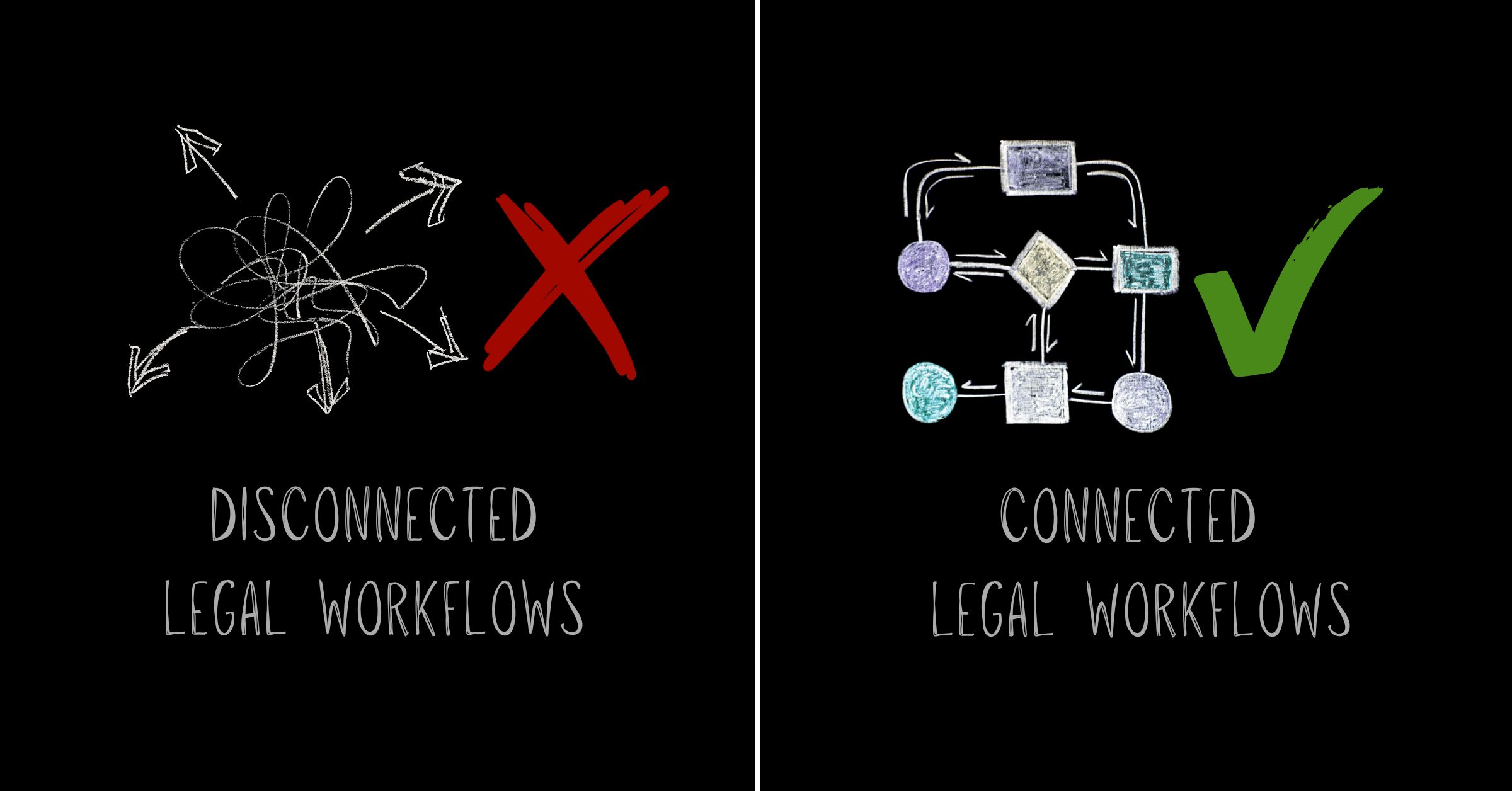
Disconnected legal workflows occur when legal teams use separate systems for intake, matter management, spend tracking, contract management and reporting, forcing manual data transfer between each stage. This fragmentation prevents information from flowing automatically, creating gaps in visibility and requiring constant human intervention.
Visibility gaps create control problems
Real-time visibility becomes nearly impossible with disconnected workflows. When matter data, spend tracking and contract status live in separate systems, Legal leaders can’t answer basic questions without significant effort.
Which matters are trending over budget? What’s the current approval status across active contracts? How are vendors performing against billing guidelines? These questions should have instant answers. Manual reporting cycles deliver outdated information instead.
Teams lose the ability to spot trends early without connected workflows. Cost overruns surface after damage occurs. Compliance gaps appear during audits instead of automated checks preventing them.
How do disconnected legal workflows affect legal operations?
Disconnected legal workflows force legal operations teams into reactive modes, spending valuable time on manual coordination instead of strategic planning. Billing data doesn’t connect to matter budgets, so invoice approvals slow down. Approval status remains invisible across departments, extending contract cycles. Performance metrics aren’t tracked in a unified system, turning vendor decisions into guesswork.
Fragmentation drives inconsistency
Manual processes breed variability. Enforcement becomes selective when billing guidelines aren’t embedded in review systems. Some invoices face scrutiny while others slip through. Over time, outside counsel learns which rules actually matter and which ones don’t.
Approval workflows suffer the same fate. Email-based routing means requests get handled differently depending on who’s available and what’s in their inbox. No standard path exists. No predictable timeline emerges. No reliable audit trail forms.
Inconsistency plagues matter management when teams track work across disconnected tools. One attorney uses a spreadsheet. Another relies on email folders. A third keeps notes in a document management system. Institutional knowledge disappears when someone leaves or workload shifts.
This fragmentation doesn’t just create inefficiency. It introduces risk. Missed deadlines, overlooked obligations and non-standard terms slip through because no single system provides comprehensive oversight.
Why do disconnected legal workflows persist?
Legacy systems built for single functions weren’t designed to work together. Many legal departments inherited point solutions purchased at different times by different stakeholders, each solving one problem but creating integration challenges. Technical debt, limited IT resources and fear of disruption keep teams locked into manual workarounds.
Data silos limit strategic impact
Legal departments face growing expectations to operate like other business functions: with clear metrics, predictable outcomes and evidence-based decision-making. Disconnected workflows make this nearly impossible.
Legal teams can’t analyze cost drivers by practice area, vendor or matter type when spend data lives separately from matter information. Reporting on cycle times requires manual reconstruction when contract metadata doesn’t connect to approval workflows.
Finance asks questions Legal can’t answer without days of data gathering. Leadership requests forecasts that require guesswork because historical patterns aren’t accessible. Business partners lose confidence because Legal can’t demonstrate the value being delivered.
Modern legal management software addresses this by creating a single source of truth. Matter details, spend tracking, vendor performance and contract status flow into one connected environment. Updates happen automatically. Reports reflect real-time data.
Integration eliminates redundant work
Copying data between systems ranks among the most expensive invisible tasks in legal operations. Every re-entry introduces error risk. Every manual update takes time away from strategic work.
Connected legal workflows solve this through integration. Information entered during intake flows directly into matter records. Invoice data syncs automatically with spend tracking. Contract approvals update status across all relevant dashboards without human intervention.
This approach does more than save time. It builds confidence in the data. When systems integrate, teams know that budget figures, matter status and vendor performance metrics are accurate because they come from the same operational record.
Collaboration with other departments improves through integration. Finance sees the same spend data Legal uses. Procurement accesses the same vendor insights. Compliance reviews the same contract terms.
How can legal teams fix disconnected legal workflows?
Fixing disconnected legal workflows requires unified legal operations software that connects intake, matter management, spend tracking and contract management in one platform. Teams should start by identifying where manual handoffs create the most friction, then prioritize integration points that deliver immediate visibility improvements.
Automation turns workflows into assets
Disconnected systems can’t support automation, so manual legal tasks persist. Invoice review stays manual when billing guidelines live in a document instead of being embedded in the approval process. Matter tracking stays manual when updates don’t trigger automatically based on workflow status.
AI-native legal operations platforms treat workflows as configurable assets. Billing rules become enforceable logic that flags violations before approval. Matter milestones become triggers that update status, notify stakeholders and generate reports without manual intervention.
According to Onit’s AI Center of Excellence research, AI-powered contract review using Large Language Models (LLMs) can complete tasks 70x faster than manual methods. But that speed only matters when the workflow connects. Manual handoffs erase efficiency gains if contract data doesn’t flow into matter records or spend tracking.
Exception-based review becomes possible through automation. Teams focus on flagged items that violate guidelines instead of checking every invoice line by line. Teams respond to alerts about delays or budget variances instead of tracking every matter update manually.
The strategic case for connected workflows
Legal departments can’t prove value when their operations remain invisible. Disconnected workflows keep legal work hidden from the metrics that matter to the business.
Connected legal workflows generate operational intelligence as a byproduct of daily work. Every invoice processed reveals spend patterns. Every matter tracked shows resource allocation. Every contract executed provides cycle time data.
This visibility transforms how Legal departments engage with leadership. Teams present data-backed analysis instead of defending budgets with anecdotal evidence. They offer predictive insights instead of reactive explanations about overspend. And teams show objective metrics about capacity and efficiency instead of justifying headcount requests through workload claims.
The shift from disconnected tools to unified legal operations isn’t just a technology upgrade. It’s a strategic repositioning of Legal as a data-driven business partner.
Making the move from chaos to clarity
Disconnected workflows don’t fix themselves. They worsen as Legal departments take on more complexity, adopt more tools and face higher expectations from the business.
Understanding where disconnection creates the most friction starts the move to connected legal workflows. Does it occur between intake and matter management? Between spend tracking and vendor oversight? Between contract execution and compliance reporting? Identifying the highest-cost gaps helps prioritize where integration delivers immediate value.
Modern legal operations platforms eliminate these gaps by design. They connect intake to execution, matters to spend, contracts to compliance and operations to insight, all within a single environment designed for how Legal teams actually work.
Legal teams don’t need more tools. They need their tools to work together.
For many legal teams, intake chaos is the first visible symptom of a bigger problem: fragmented legal workflow management. Requests come in without context, priorities are unclear, and work gets routed before anyone has a full picture of impact or effort. Even teams with structured intake processes struggle to achieve predictability because the workflows that follow intake are not truly connected.
Legal workflow management is what turns intake from a moment into a motion. Without it, intake becomes a handoff instead of the foundation for how work actually gets done.
Why intake chaos persists even with structure in place
Most legal teams have invested in intake. They use forms, triage rules, and routing logic to control how requests enter the department. But intake still feels chaotic when legal workflow management stops at the front door.
Requests are captured, reviewed, and approved, but the information collected does not reliably flow into the systems managing matters, spend, contracts, and reporting. Intake data gets re-entered downstream. Context is lost. Ownership shifts. Priority has to be re-evaluated.
When legal workflow management is disconnected, intake quickly loses its value the moment work begins.
What fixing legal intake alone fails to solve
When intake feels messy, the instinct is to tighten control. Teams add required fields, expand categories, and layer on more review steps. Structure helps, but it does not create predictability on its own.
Without connected legal workflows and better management, teams still chase updates later. They still reconcile inconsistencies. They still manually update matter status and spend details. The same work resurfaces because intake was never tied into how work flows across the department.
The issue is not intake quality. It is incomplete legal workflow management.
The operational cost of disconnected legal workflows
When legal workflow management is fragmented, small gaps compound quickly. Requests get approved without a clear understanding of downstream effort. Matters start without budgets or timelines attached. Spend issues surface late because intake context never carried forward. Contracts stall because urgency or ownership was never clear.
Reporting becomes reactive because intake data never became part of the operational record. What teams experience as intake chaos is really disconnected legal workflow management showing up early.
What predictable workflows actually require
Predictability comes from connection, not control.
When legal workflows connect intake directly to matters, spend tracking, contract workflows, and reporting, teams stop re-entering information. Context moves with the work. Status updates happen automatically as tasks progress. Visibility improves before bottlenecks form.
In this model, intake is not a gate. It is the first step in legal workflow management that carries information from request to resolution without constant human intervention.
How AI supports better legal workflows without replacing judgment
AI does not replace intake ownership or legal decision-making. It strengthens legal workflows by supporting continuity and context.
Used thoughtfully, AI helps normalize request information, reduce back-and-forth before work starts, and keep workflows aligned as work evolves. It helps surface risk, identify patterns, and maintain consistency across matters, spend, and contracts.
The goal is not to automate judgment away. The goal is to ensure legal ops workflow management supports people in making decisions, not reconstructing information the system already has.
From legal intake chaos to operational confidence
When intake is supported by connected legal workflow management, chaos gives way to predictability. Teams stop reacting and start planning. Visibility improves without additional reporting effort. Legal moves faster without sacrificing control.
Intake still matters. Structure still matters. Automation still matters.
What changes is that legal workflow keeps work connected from the moment a request arrives through execution, spend, contracting, and insight. That is where predictable legal work actually begins.
Want to see how modern legal workflow management helps teams reduce manual work across intake, spend, contracts, and reporting?
Productivity suffers when your legal operations team is caught up in endless “side quests.” You know, those repetitive administrative tasks that distract from your true mission. Fetching documents, routing contracts, and handling approval requests can consume hours that should otherwise drive bigger business goals.
Unlike games, where side quests can be rewarding, a legal operations team faces a different outcome. These distractions drain productivity, burn out talent, and cost your business real money. And anything that affects your ROI can be a potential problem if not handled right.
Your legal operations team’s main quest is strategic: managing risk, facilitating major deals, and steering the company through regulatory changes. Yet, too often, highly skilled professionals get pulled into a cycle of low-value tasks, chasing signatures, uploading files, and searching for contract versions buried in email threads.
This grind isn’t just tedious — it’s expensive. If your legal operations team spends time on data entry or routine admin, high-value resources are being misallocated. It’s time to identify the distractions and automate them out of existence.
The high cost of low-value work
Manual tasks quietly undermine legal operations team productivity. Five minutes to file a contract or ten minutes to assemble a typical NDA seems trivial until you multiply it across hundreds of agreements and dozens of employees. Suddenly, those side quests are a major drain.
Thousands of lost hours cause friction across the organization. Sales teams wait on contract approvals, procurement stalls on vendor onboarding, and the legal operations team becomes known as the “Department of No” …not because it wants to, but because it’s buried in administrative backlog.
The hidden risk of manual processes
Every manual touchpoint introduces risk to your legal operations team. When tasks are repetitive, mistakes creep in. Compliance is threatened when someone misses an update or forgets a regulatory clause.
Small errors can lead to significant consequences: missed renewal deadlines, overlooked obligations, or non-standard terms that expose the organization to penalties or reputational harm.
Identifying your legal operations team’s side quests
Is your legal operations team’s productivity suffering? The answer often hides in everyday frustrations:
“Where is that file?” Without a centralized repository, hours are wasted searching for information.
“I’m just a glorified admin.” When legal professionals spend time formatting or triaging emails, morale falls and turnover risks rise.
“We need to hire more people.” If you need more headcount to keep up, the real solution may be eliminating those manual side quests.
If these sound familiar, your legal operations team’s energy is spent on maintenance, not progress.
Automating the grind for your legal ops department
The solution isn’t to work harder but smarter. Equip your legal operations department with automation tools that remove repetitive, manual tasks. This allows your experts to focus on impactful, strategic work.
Streamline contract management
Start with Contract Lifecycle Management (CLM). A robust CLM platform automates routine contract tasks, from document generation and template management to approval routing and secure, searchable storage.
This not only accelerates sales cycles, it also lifts the legal operations team out of bottleneck territory and creates time for more strategic priorities.
Leverage data-driven insights
Manual processes cloud visibility. Automation brings clarity, showing bottlenecks, high-risk vendors, and legal spend in real time.
With actionable data, your legal operations team can show its value to the business, using metrics that reflect improved efficiency, increased compliance, and cost savings.
Integrate your tech stack
Copying data between disconnected systems creates just another set of side quests. Your tools should connect seamlessly with CRMs, ERPs, and HR platforms.
When your systems are integrated, information flows effortlessly, reducing duplicate work and confusion over where to find the latest file.
AI for legal: The ultimate cheat code for your legal operations team
AI-native solutions are changing the landscape for the legal operations team. AI reviews contracts for risk, flags issue areas instantly, and extracts data from legacy documents in minutes. Chatbots can answer routine business questions so your lawyers remain focused on high-level work.
This isn’t about replacing your legal operations team; it’s about freeing them to apply skills to complex negotiations, risk analysis, and strategic projects that move the business forward.
Return to the main storyline
Legal operations teams face constant pressure: tighter budgets, restructuring, and evolving regulations. There’s no room for wasted effort.
Eliminating administrative side quests is essential. Streamline workflows and automate routine work to unlock your legal operations team’s expertise. Enhance compliance, cut costs, and empower your legal operations professionals to take on the high-impact work that fuels business growth.
The main quest is waiting. It’s time to stop grinding and start leveling up your legal operations team.
Ready to optimize your legal operations team?
If you’re ready to leave manual side quests behind and focus on real business outcomes, we’re here to help. Our AI-native solutions empower legal operations teams to move fast, work smart, and deliver the efficiency your business needs. Speak to an expert today to get your legal operations team on the right path.
Legal intake software should make it easier to manage requests, not expose how broken the process really is. But for many legal teams, the absence of a clear intake system is exactly what creates the problem.
When you don’t have dedicated legal intake software, tracking and assigning work feels nearly impossible. Business partners toss requests over the fence via email, text, or hallway conversations, often leaving out critical details. This forces your team into a loop of back-and-forth phone calls just to get the information they need to start working.
It’s time to stop the scramble. Corporate legal departments need a smarter way to work, and automated legal intake software is the solution.
By implementing an intelligent, self-service portal, you centralize the chaos. You enable information sharing across departments and reduce the time your staff spends on manual data entry.
Why you need legal service request (LSR) software:
Streamlined processes: Simplify how work enters the department.
Reduced admin time: Drastically cut the cycle time spent on low-value tasks.
Strategic focus: Free up time for high-value legal work.
Better service: Enhance responsiveness to your business partners.
If you are ready to transform your operations, here are the six non-negotiable features you should look for in legal intake software.
1. Centralized intake
A scattered process is a broken process. Your legal software must support a central intake workflow for all legal service requests. This not only simplifies the experience for your business partners but also provides a complete, defensible audit trail for every matter.
2. User-friendly interface
Adoption is everything. If the tool is difficult to use, your partners won’t use it. Look for legal intake software that is intuitive and easy to learn, requiring virtually no training for users to get started immediately.
3. Variable workflows
Rigidity kills efficiency. Your workflow process should be flexible and easy to modify. You need the ability to alter requests, review and approve them dynamically, and add new approvers on the fly without slowing down the entire operation.
4. Automated notifications
Eliminate the “black box” perception where requests go to die. Your software should automatically generate notifications to keep business partners updated on the status of their requests. Transparency builds trust.
5. Reporting and dashboards
You can’t manage what you can’t measure. Robust reporting and dashboard views allow the corporate legal department to track legal intake software metrics by region, department, business unit, or complexity. Use these data-driven insights to optimize resource allocation.
6. Rapid deployment
You don’t have months to waste on implementation. Look for an intake solution that offers rapid deployment with little or no IT involvement. The goal is to get your corporate legal department up and running quickly so you can start seeing ROI immediately.
Driving success with legal intake software
The right technology allows your legal department to stop chasing paperwork and start focusing on business needs. With well-chosen legal intake software, you can provide higher-quality services, operate more efficiently, and become a driving force in fueling your company’s success.
Ready to put these ideas into action? Download the Legal Service Request Checklist to evaluate whether your current intake process actually supports how your legal team works today, or quietly holds it back.
And if you want to see what a modern, automated intake experience looks like in practice, you can also speak to an expert to find out how Onit helps legal teams streamline requests, improve visibility, and operate on their terms.
Let’s be honest: if you’re not measuring your legal department KPIs, you’re flying blind. The modern legal team is expected to prove their value, support the business’s strategy, and ruthlessly optimize legal spend management. If you aren’t there yet, you’re overdue for a change.
Stuck in spreadsheet hell? You’re not alone, but you’re also not going to win the future that way. Legal reporting best practices and technology can take you from manual chaos to automated clarity. The best part? You don’t need a massive analytics platform to crush your KPIs. Start with structure, consistency, and the four hacks below to unlock performance data that actually matters.
1. Legal department KPIs are your leverage
Legal department KPIs aren’t just pretty numbers for a slide deck. They’re your narrative. They tell leadership exactly how your team impacts the bottom line and why you should have a seat at the decision-making table. This aligns with broader business guidance on performance measurement, like Harvard Business School Online’s breakdown of how effective KPI structures drive organizational decision-making. Quantified, strategic, and focused: that’s how forward-thinking legal leaders play the game.
Even if you’re building from scratch, laser in on high-impact metrics: efficiency, risk reduction, alignment with business goals. This isn’t an optional exercise. It’s your ticket to credibility.
Still tracking data privacy costs manually and watching them climb? There’s your smoking gun. Use those insights to push for process changes, justify training, or argue for in-house moves that slash outside counsel spend. Strong legal department KPIs tell a story the C-suite can’t ignore.
2. Cut the fluff: Choose legal department KPIs that actually matter
Let’s talk results. Your legal KPIs must expose the link between legal effort and business value. Ditch vanity metrics and focus on what drives decisions.
Start with these proven performers for both legal spend management and operational rigor:
Actual spend by month: Own your budget, find burn points, and spotlight cost control.
Total hours billed: Reveal capacity constraints and dependency on outside counsel.
Discounts, adjustments, alternative fee arrangements: Show you don’t just spend. You negotiate and save.
Number of contracts executed: Measure how legal accelerates (or blocks) deals.
Matters resolved and time per matter: Find choke points, boost efficiency, and rebalance workloads.
If you’ve got access to AI-native analytics or enterprise legal management tools, level up:
Top matters by attorney hours and rate: Pinpoint where you’re leaking money or over-allocating talent.
In-house vs. outside counsel workload: Stop outsourcing what you should be running internally and vice versa.
Line-item spend breakdowns: Kill off travel drains, admin bloat, and research inefficiencies.
Reporting on these KPIs isn’t about making leadership happy. It’s about controlling your narrative, driving legal reporting best practices, and putting yourself in the driver’s seat for strategic initiatives.
Pro tip: Modern legal ops solutions automate dashboards and reporting, letting you focus on strategy instead of spreadsheet migraines.
Quantitative KPIs: Don’t guess, prove it
Dig deep into your data. Your in-house timesheets and coded invoices hold gold if you know how to mine it. Build your legal spend management story from the numbers, not just gut feelings.
Track reductions and overruns by line item. Follow the money. Compare workloads and costs across practice areas over time. Trends don’t lie, so use them to predict, pivot, and persuade.
Qualitative KPIs: Influence beyond the numbers
Some of your impact is beyond the spreadsheet. Smart legal reporting best practices mean capturing qualitative wins too. Did negotiating a high-stakes deal save the company millions? Shout it out.
Ask your business partners for honest feedback. Are they waiting too long for support? Do they feel legal is a strategic enabler or a stubborn bottleneck? Build internal surveys and measure what matters, not just what’s easy to count.
3. Ditch the data dumpster: Build smart records around legal department KPIs
Tag invoices precisely. If it doesn’t drive a KPI, why track it?
Train your squad on the critical fields. Everyone must play by the same data rules.
Standardize formats for ease, speed, and auditability.
Stay compliant. The regulators will thank you, plus you’ll sleep better at night.
If the company demands ruthless efficiency, your systems and reporting must make cost savings unmistakably clear. Legal department KPIs are your ammunition. Organize them, defend them, and use them to drive real change.
4. Track legal department KPIs the modern way, or get left behind
Let’s face it. Spreadsheets are a stopgap, not a solution. They’re better than nothing, but if you want to bring the heat, automation and real-time dashboards are your best friends.
Pull all your legal department KPIs, legal spend management data, and performance metrics into one simple view for leadership. No more scrambling before the next quarterly report. Let cloud tools and visualization software do the grunt work so you can focus on results.
When you’re ready to stop living in the stone age, migrate to an AI-native solution. Let automation run the numbers, surface trends instantly, and produce dashboards executives actually want to read. The future of legal reporting best practices is real-time, interactive, and smart.
With the right tech, your team can:
Build automated dashboards that make spend, matter cycles, and vendor performance instantly visible.
Slice KPI reports by team, region, or matter type with ease.
Share insights in seconds, not days or weeks.
Time to upgrade or be outpaced
A basic spreadsheet works until it doesn’t, then you need a legal ops platform that automates data management and reporting. Modern legal analytics tools are purpose-built for legal department KPIs. Get dashboards you can trust, share insights on autopilot, and keep leadership looped in with zero manual hassle.
It breaks down the real mechanics behind legal performance, spend control, and operational impact, and shows why manual math has no place in modern legal ops.
Budget season is here, and that means the ROI of legal eBilling is under the spotlight. Legal teams that can prove their value with data will keep control of their budgets. Those that can’t will ultimately face harder conversations about spend and impact.
Every department is expected to speak the language of ROI, but many legal teams still struggle to connect their work to measurable business outcomes. Modern legal eBilling technology gives them a way to do it. It links efficiency, visibility, and spend control to results that matter to the business.
For too long, legal has defended its budget with reports and anecdotes that don’t hold up in financial discussions. Finance teams, on the other hand, move fast with data and metrics that speak in real numbers. That’s the gap modern legal operations is closing.
Modern eBilling technology makes legal eBilling ROI much clearer. It turns spend management into measurable proof of value and gives legal a stronger position when it’s time to plan for next year.
You can’t defend what you can’t measure
Manual invoice review once felt manageable. Someone checked rates, spotted errors, and chased approvals. Today, that process drains productivity and introduces unnecessary risk. Every minute spent tracking invoices by hand is time that could be spent improving strategy or partnering with the business.
Without automation, spend data becomes fragmented, outdated, and unreliable. Spreadsheets hide errors, and by the time finance asks for numbers, legal is already behind. That lack of visibility makes it difficult to prove the ROI of legal eBilling or any operational investment when it matters most.
Automation changes the outcome. Modern legal eBilling platforms centralize invoices, flag billing violations automatically, and give teams real-time visibility into spend. When every dollar is tracked and analyzed, the ROI of legal eBilling becomes clear and defensible.
The ROI of legal eBilling starts with control
Success in legal operations depends on control, not just cost cutting. The ROI of legal eBilling comes from giving teams the visibility and structure to manage spend with precision.
Automated workflows keep billing consistent across regions and vendors. AI-driven review tools identify overbilling and enforce guidelines before invoices reach approval. Dashboards and analytics reveal where spend goes and how to optimize it for the future.
This is where the legal eBilling ROI begins to grow. The more visibility legal gains, the more leverage it has in vendor negotiations, budget planning, and strategic forecasting.
Finance believes data, not declarations
CFOs want measurable outcomes. Legal teams that can quantify their impact through metrics such as billing accuracy, time saved, and improved forecasting accuracy will always have stronger footing in budget discussions.
Modern legal eBilling technology provides that level of proof. It creates a single source of truth for all spend data and makes the ROI of legal eBilling quantifiable. Legal can show how automated reviews reduce manual time, how billing compliance improves, and how accuracy leads to better financial forecasting.
Manual spend management wastes time and hides risk. When approvals, budgets, and vendor communications are spread across email and spreadsheets, errors slip through and create surprises later. By the time finance catches them, the damage is already reflected in the budget.
Legal eBilling’s ROI grows from eliminating those risks. Automation enforces compliance consistently, keeps data accurate, and prevents overbilling before it happens. With a centralized platform, everyone sees the same information at the same time. Transparency builds trust, and trust builds credibility when budgets are on the line.
The ROI of legal eBilling proves more than savings
The ROI of legal eBilling is about more than reducing spend. It proves how legal creates value for the business. The most forward-thinking teams now measure their return on investment in decision intelligence: how quickly they identify trends, adjust to them, and use insights to shape business strategy.
With modern legal eBilling tools, teams can track spend trends in real time, benchmark vendor performance, collaborate with finance on forecasting, and quantify efficiency gains across the department. These capabilities demonstrate operational maturity and strategic alignment that resonates with executive leadership.
Legal isn’t just improving efficiency. It’s proving its contribution to the business in financial terms, and that is the kind of ROI leadership understands.
In budget season, proof wins
Budget planning no longer revolves around defending last year’s expenses. It focuses on proving the value of every dollar spent and demonstrating how future investments will multiply that value.
When legal operations can show the ROI of their legal eBilling efforts with accurate data, the conversation with finance shifts from cost to opportunity. Instead of justifying expenses, teams highlight measurable results, forecast future savings, and make the case for continued innovation.
Manual processes cannot deliver that level of credibility. Teams that adopt modern legal eBilling systems enter budget season with proof in hand and confidence in their outcomes.
Make your case with real numbers
Want to see how top-performing legal teams are proving ROI? Explore our ROI of Legal eBilling Tech whitepaper to learn how modern spend management delivers measurable business results.
Ready to quantify your own success? Use our ROI calculator to estimate how much your department could save and how quickly the investment could pay for itself.
Budget season rewards clarity, not claims. The teams that can prove the ROI of legal eBilling will be the ones shaping what comes next. Are you going to be one of those teams?
If your legal intake process lives in your inbox, it’s already costing you time, credibility, and control.
Modern legal teams need more than email threads and spreadsheets to keep up. They need a smarter, structured way to manage requests from the start. Every vague “quick question” or one-line email from the business creates hidden friction. Before you know it, your team is buried in requests, half-tracked approvals, and missing context that slows everything else down.
For many legal departments, this is just how work happens. It’s the status quo. But when your legal intake process chaos becomes the norm, you stop operating strategically. You’re reacting, not prioritizing. The real cost isn’t just time, it’s credibility. And that’s not something you want to lose.
So let’s talk about what’s actually slowing your team down and how to fix it.
A poor legal intake process equals lost time, lost context, lost visibility
Manual legal intake probably feels simple. People send requests, you respond, things move forward. But behind the scenes, those small inefficiencies compound fast.
When service requests come through scattered channels like email, chat, or hallway conversations, it’s nearly impossible to see what’s in the pipeline or who’s handling what. Critical details get lost. Work gets duplicated. Business partners feel like they’re waiting in line without updates.
And for legal ops leaders, that means no visibility into metrics that matter: request volume, turnaround times, or workload distribution. Without data, it’s hard to justify budget, identify bottlenecks, or even show how much the team is handling day to day.
A modern legal service request (LSR) system fixes that by replacing the patchwork with something standardized, automated, and trackable.
How modern legal ops software transforms legal intake
Modern legal ops software is built to take the busywork out of intake. Instead of managing dozens of requests scattered across inboxes, it centralizes everything in one digital workspace that connects directly to enterprise legal management systems.
That means:
Fewer missed details. Requesters complete guided intake forms that capture the right information every time.
Faster routing. Requests are automatically assigned based on category, matter type, or workload.
Smarter prioritization. Dashboards show what’s pending, urgent, or overdue without relying on manual tracking.
Better visibility. Leaders can instantly see volume trends, turnaround times, and performance metrics.
Legal ops teams using LSR tools to modernize their legal intake process tend to move faster because the system handles the flow. The technology doesn’t just collect requests, it gives you control over how work comes in, moves through, and gets completed.
Signs your intake process is holding you back
You don’t need to overhaul everything at once to modernize. But you should pay attention to early warning signs that your current legal intake process is costing you efficiency.
If any of these sound familiar, it’s time to take a closer look:
You spend hours each week triaging requests instead of managing outcomes.
Your team constantly follows up to clarify missing details.
Work requests pile up without a clear way to track or prioritize them.
You can’t quantify how much work comes through intake or how quickly it gets done.
When your legal intake process feels like it’s grounded in guesswork, that’s your cue. Modernizing doesn’t just save time; it strengthens your department’s foundation. It helps you work on your terms, not your inbox’s.
From inbox chaos to legal intake clarity
A legal service request system is more than a tool, it’s a shift in how legal teams operate. It builds discipline into your process without adding friction. It shows business partners exactly how to engage with legal. And it gives your team the data to work smarter and prove value.
The result is faster response times, clearer accountability, and a department that looks organized and proactive, not reactive and overextended.
Your legal intake process doesn’t have to drain your time or your team’s energy. With the right system, it can finally work the way you do.
See how modern legal intake actually works
If you’re unsure where to start, Onit’s Legal Service Request Checklist is a quick way to assess where your current intake process might be slowing you down. It highlights key areas to evaluate before you modernize.
Ready to find out how Onit’s AI-native legal service request system eliminates bottlenecks and helps legal work faster? Talk to one of our experts today.
You’ve seen the shift coming for a while… now it’s right at your desk. AI for legal teams isn’t a someday conversation anymore. It’s the reality smart legal ops leaders are stepping into right now. But if you’re still waiting for the perfect tech stack to drop from the sky, you’re looking in the wrong place. Probably somewhere between the fax machine and the fantasy budget.
But you know what? The most important thing to get right before anything else isn’t the tool. It’s the team.
AI for Legal Teams Begins with Who, Not Just What
The legal tech market is loud and noisy. Everyone’s promising smarter processes, faster turnaround, and less manual work. But here’s what often gets overlooked: no matter how advanced a tool is, it doesn’t know your business. Not like your team does.
Bringing AI into legal operations is less about shiny features and more about empowering the people who already understand where the work slows down. The ones reviewing line items, redlining NDAs, chasing outside counsel for timekeeper adjustments. They’re the ones who know what needs to change.
Legal ops leaders who succeed with AI aren’t scrambling for new hires. They’re rethinking how their current team is structured and supported. That starts with trust, context, and a framework that gives people permission to question the way things have always been done.
Clarifying Roles Creates Real Capacity
Most legal departments have talent that’s underleveraged, not underqualified. The challenge is clarity. When responsibilities are vague, opportunities for automation fall through the cracks. Time gets lost in follow-ups, escalations, and duplicated effort: the triple threat of legal inefficiency.
AI for legal teams becomes exponentially more effective when roles are aligned to the work that AI can actually support. Think about the person who’s always customizing approval workflows or manually reviewing every invoice line. They don’t need a replacement. They need to be freed up for higher-value analysis, exception handling, or cross-functional collaboration.
That’s not just good for efficiency. It’s good for morale. Empowered legal teams feel the shift when they stop fighting systems and start owning them.
Leadership Is the Difference Between Experiment and Execution
Implementing AI in legal operations isn’t just an IT decision. It’s an operational transformation, and legal ops leaders are uniquely positioned to drive it.
It starts with asking better questions. What’s repetitive and rules-based? What drains the team’s time without moving legal forward? What’s being done “because we’ve always done it that way”? If that phrase had a frequent flyer program, legal ops would have lifetime status.
The answers to those questions will uncover more than just inefficiencies. They reveal opportunities for AI that actually make a difference. The kind that increases transparency, reduces legal spend, and improves collaboration across departments.
That’s how you move beyond experimentation and into meaningful execution.
Great Legal Ops Teams Don’t Work in a Vacuum
AI for legal teams doesn’t exist in a legal-only bubble. The most effective teams are the ones building smart bridges across functions, especially with IT, compliance, procurement, and finance. And not just after the fact, but from the start.
If legal wants to own its AI roadmap, it needs allies who understand the business case and the operational needs behind it. That means getting IT out of reactive troubleshooting mode and into collaborative planning. It means helping finance see spend control not as a reporting exercise, but as a strategic lever.
The best legal ops teams don’t just ask for buy-in. They show their cards. They bring forward a plan backed by realistic implementation steps, accountability, and expected ROI. And they come to the table understanding the risks, concerns, and language of each partner.
The result is fewer roadblocks, smoother execution, and legal that’s no longer seen as “different,” but as an integrated part of the enterprise strategy.
What Forward-Thinking Legal Ops Teams Are Doing Now
If you’re not overhauling your department overnight, good. The smartest legal ops leaders know that progress doesn’t come from massive changes. It comes from small, strategic shifts made consistently and visibly.
Start by documenting where your team spends the most time, especially on tasks that feel manual, repetitive, or invisible to the business. Look for areas where you are double-handling data, reviewing things that should never have made it to your desk, or chasing down missing details from vendors.
Then talk to your internal partners. Find out what IT needs from you to support AI projects more smoothly. Ask finance what data would help them feel more confident in legal’s spend strategy. Look for the low-friction, high-impact changes that set the stage for bigger moves.
The best part? You don’t have to do it all on your own. With the right framework and the right partners, your team can move faster than you think. It all starts with clarity, intent, and the decision to lead.
Of Course Tools Matter, But Timing and Ownership Matter More
Yes, your team needs tools that are explainable, configurable, and purpose-built for legal work. That’s why we created a tech stack checklist to help legal ops leaders evaluate what fits.
Before you dive into demos or explore AI agents with IT, map the workflows your team owns, the bottlenecks that slow you down, and the outcomes that legal leadership actually cares about. Then match solutions to those realities.
A tool with the wrong team is just shelfware: expensive, impressive, and utterly unused. A focused team with the right structure can unlock results in weeks, not quarters.
The Playbook for Legal Ops Teams Who Want More Than Buzz
The AI Legal Ops Playbook was built for legal teams who want to lead with intention, not react to pressure. Inside, you’ll find:
A strategic framework for team design and role alignment
A buyer’s checklist for evaluating legal AI solutions
Tips for communicating ROI to the GC, CIO, or CFO
Real examples of how AI is helping teams reduce review cycles and tighten spend controls
It’s built for real teams doing real work, not hypothetical tech stacks that assume more resources than you actually have.
The Teams That Will Win Are the Ones That Move with Purpose
AI for legal teams is not a side project anymore. It’s the main event. The training wheels are off and the spotlight is on.
Legal’s no longer in the corner. You’re front and center on the transformation stage. Time to step into the ring and bring it.
AI is already reshaping how the best legal teams operate, and everyone else is just racing to catch up. But real change doesn’t start with tools. It starts with a team that’s aligned, confident, and ready to lead with clarity.
If you’re tired of AI content that talks around legal, this cuts through it. It’s made for you: the team doing the real work and ready to lead. We kept it tight, useful, and totally focused on legal ops. Think of it as your shortcut to strategy, minus the 50-slide internal pitch deck.